Professional-grade astrology, from your first chart to your hundredth client.
Start on the free tier: no card, five clients, all 23 house systems. Pro, Adept and Master add synastry, returns, Report Studio and Sky, an AI trained on astrology, all on the same calculation engine. If you only read your own chart, Astrolium Personal is $12 a month.
Free tier, no card cancel any time 30-day refund on annual plans
- 24countries
- 12kcharts cast
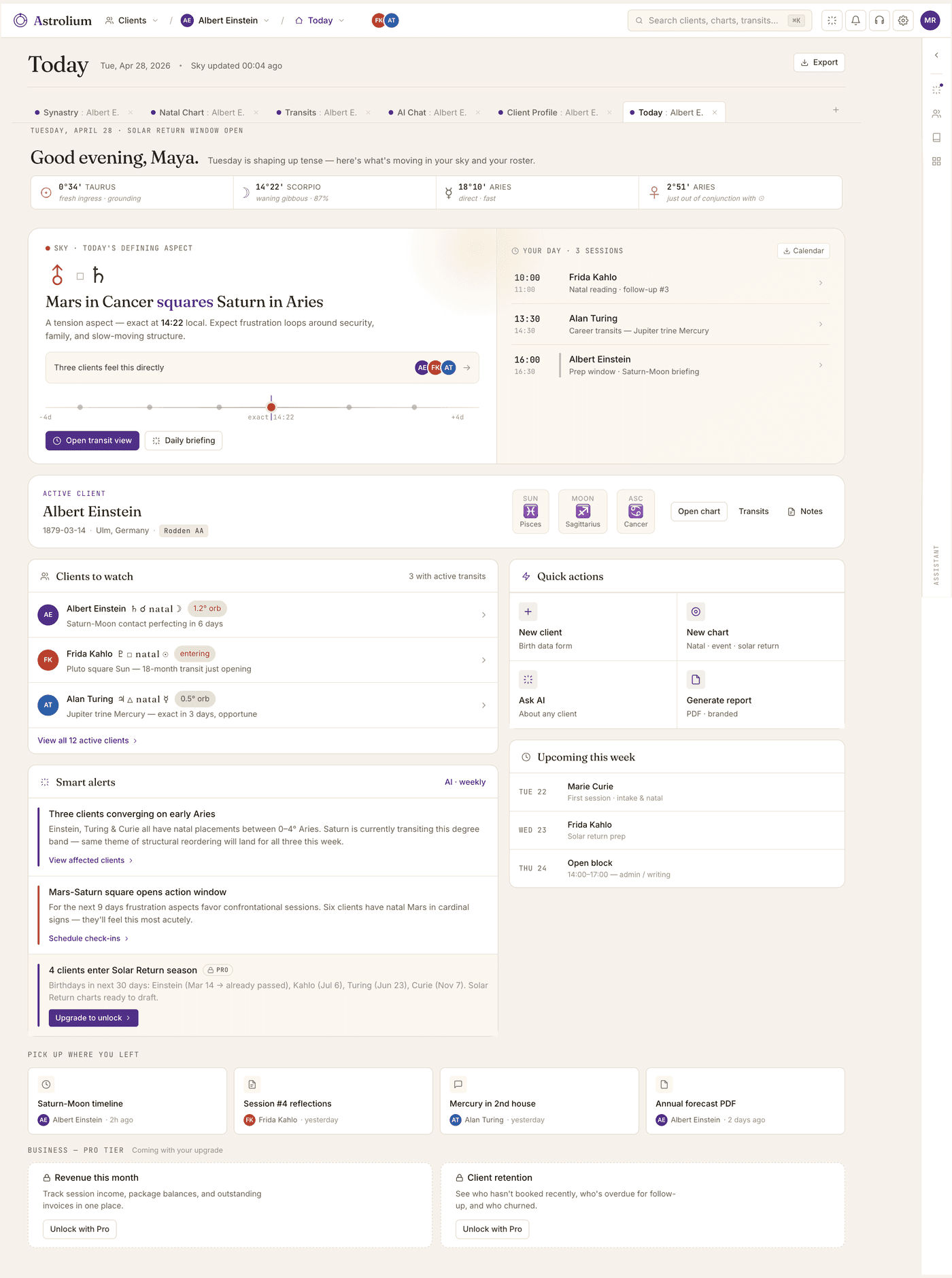
Your current Tuesday
It's not the work that's hard. It's the friction.
01
Six tools to start one session
Solar Fire for the chart, astro.com for transits, Notes for the client log, Google Calendar for the booking, WhatsApp for the message, Stripe for the invoice.
02
Generic AI doesn't know astrology
Standard chatbots hallucinate degrees and ignore your specific tradition. You need an AI that deeply understands the craft and bases its logic on your exact practice.
03
No way to scan your whole roster
“Which of my 80 clients has Saturn squaring their Moon next month?” There's no answer button. You go one by one.
04
Lists of aspects, zero synthesis
Current software dumps 20 isolated transits on your screen and expects you to build the narrative. You do all the heavy lifting to find the signal.
05
An interface from 2003. And it shows.
Five-pixel buttons. Modal-on-modal-on-modal. Dropdown menus 14 items deep. Help docs that read like a 90s shareware readme. You charge clients $200 a session. The chart you show them on screen should look like it was made this decade.
06
Three hours of prep for a one-hour session
Pull the natal. Re-cast transits. Cross-check progressions. Hunt last session's notes in three Google Docs. By the time your client opens Zoom, you've already worked half a day. You can only see ten of them a week before you burn out.
What changes
One app. Built by astrologers, for astrologers.
Every screen here is from the shipping product. Click through them, then create an account and open the same workspace yourself.
Today
A Today screen that briefs you
Open the app at 9am and see exactly what the sky is doing, who on your roster feels it, and which sessions need a heads-up.
The morning brief is written by Sky: it reads today's transits against every active client, surfaces the three most exact hits, and drafts a one-line note for each. Like: “Lena's progressed Moon ingresses Scorpio tomorrow. Raise it before her session at 4pm.”
Natal chart
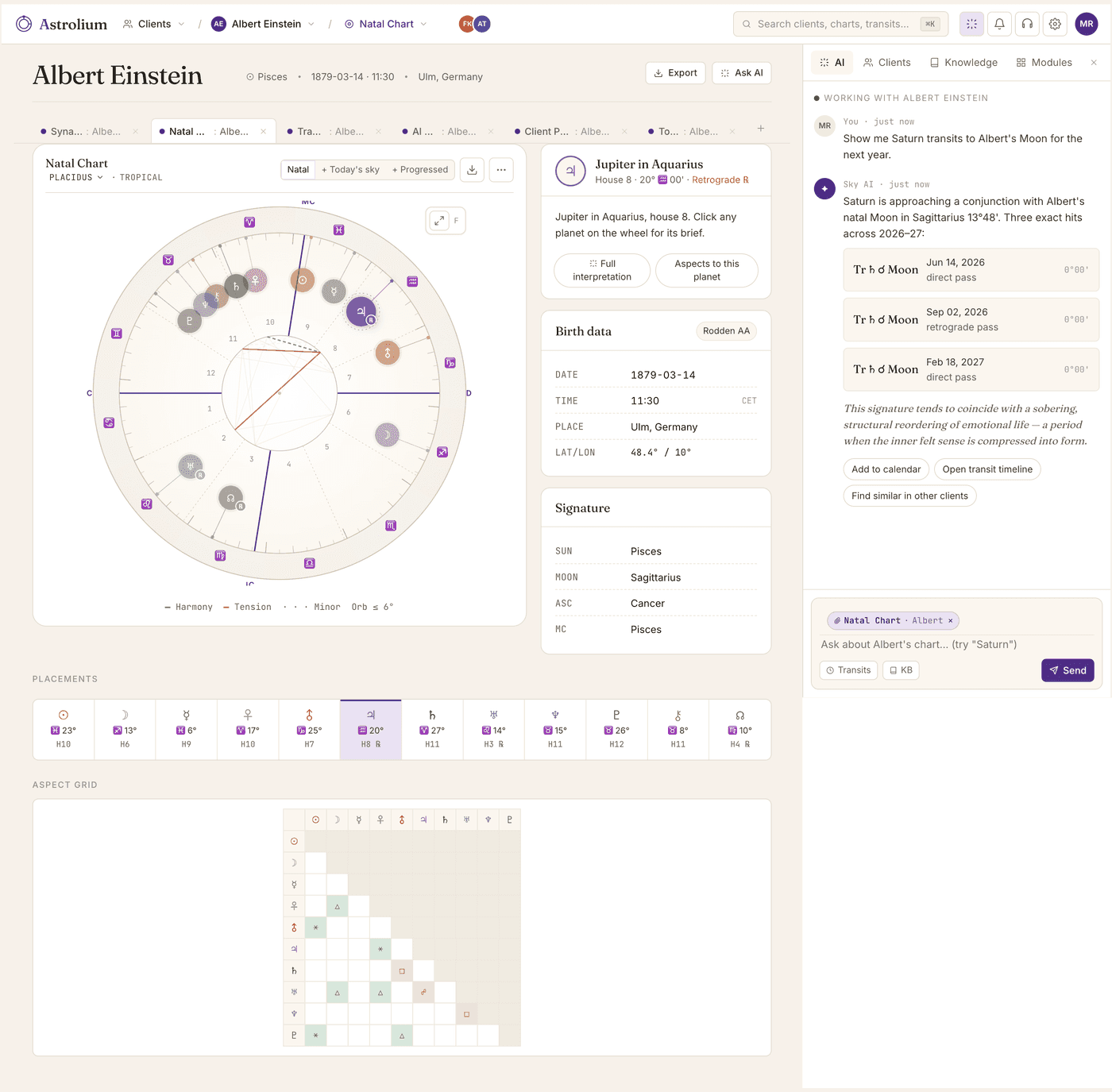
A natal chart you can actually read
23 house systems, sidereal and tropical, fixed stars, asteroids, Arabic parts. Everything Solar Fire has, without Solar Fire's UI. The same birth data opens a Jyotish Kundli and a Human Design BodyGraph too.
Ask in plain language. Try “why does this chart feel so internal?” Sky answers in your school's voice, citing the actual placements (12th-house Sun, Moon-Saturn conjunction, Pisces stellium) instead of generic platitudes. It reads the chart you're looking at, not a textbook.
Jyotish
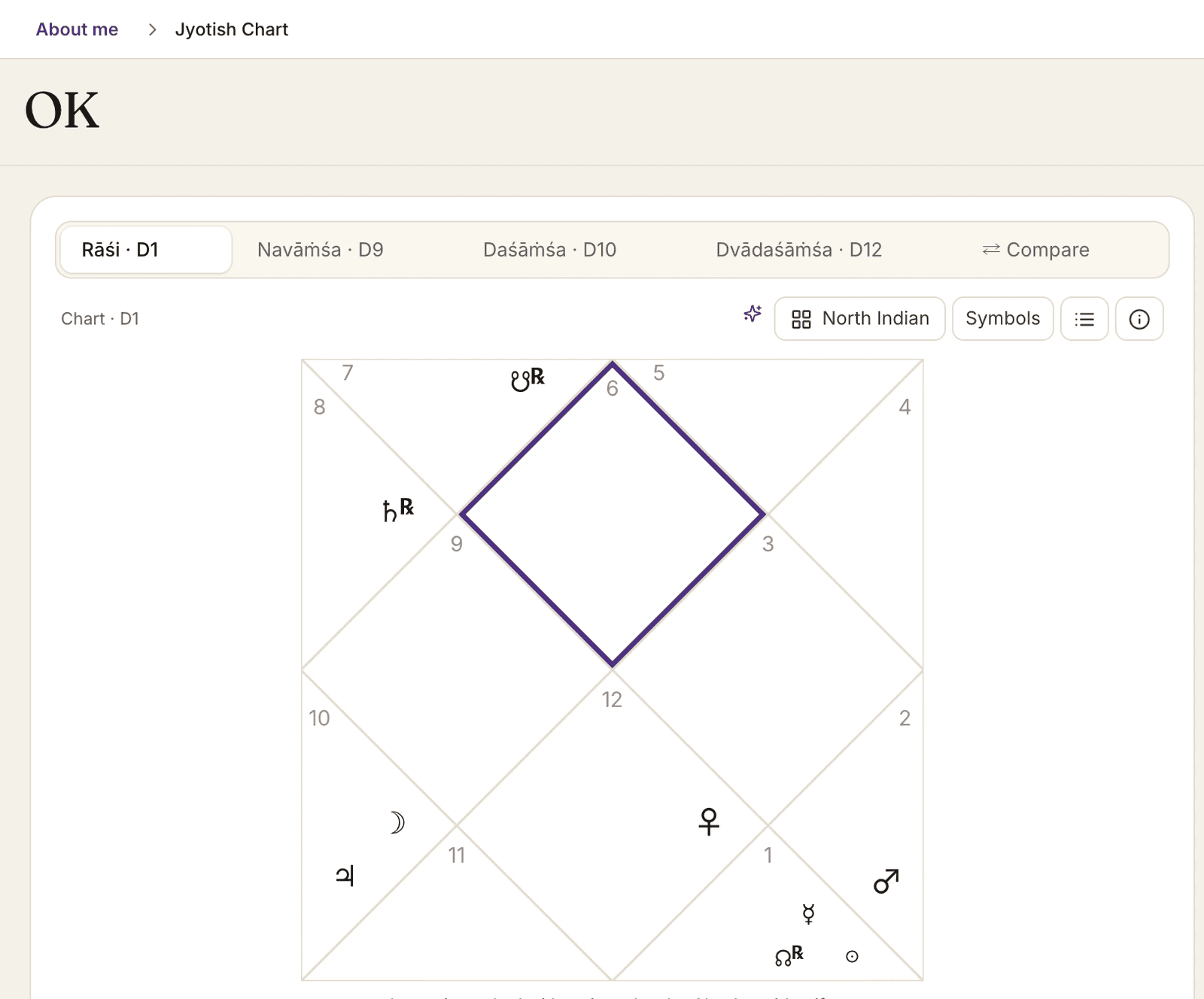
A real Kundli, next to the Western chart
Parashari Kundli in North or South Indian style, D9, D10 and D12 vargas, nakshatras with padas, Graha Drishti and yogas. Timing runs on three-level Vimshottari dasha, Gochara and Sade Sati. On Pro.
Ask Sky about a yoga or a dasha and it answers in Jyotish terms, from the chart on screen, without translating the reading back into Western signs. Lahiri ayanamsha, whole-sign houses and the mean node are printed on the chart, not buried in settings.
Human Design
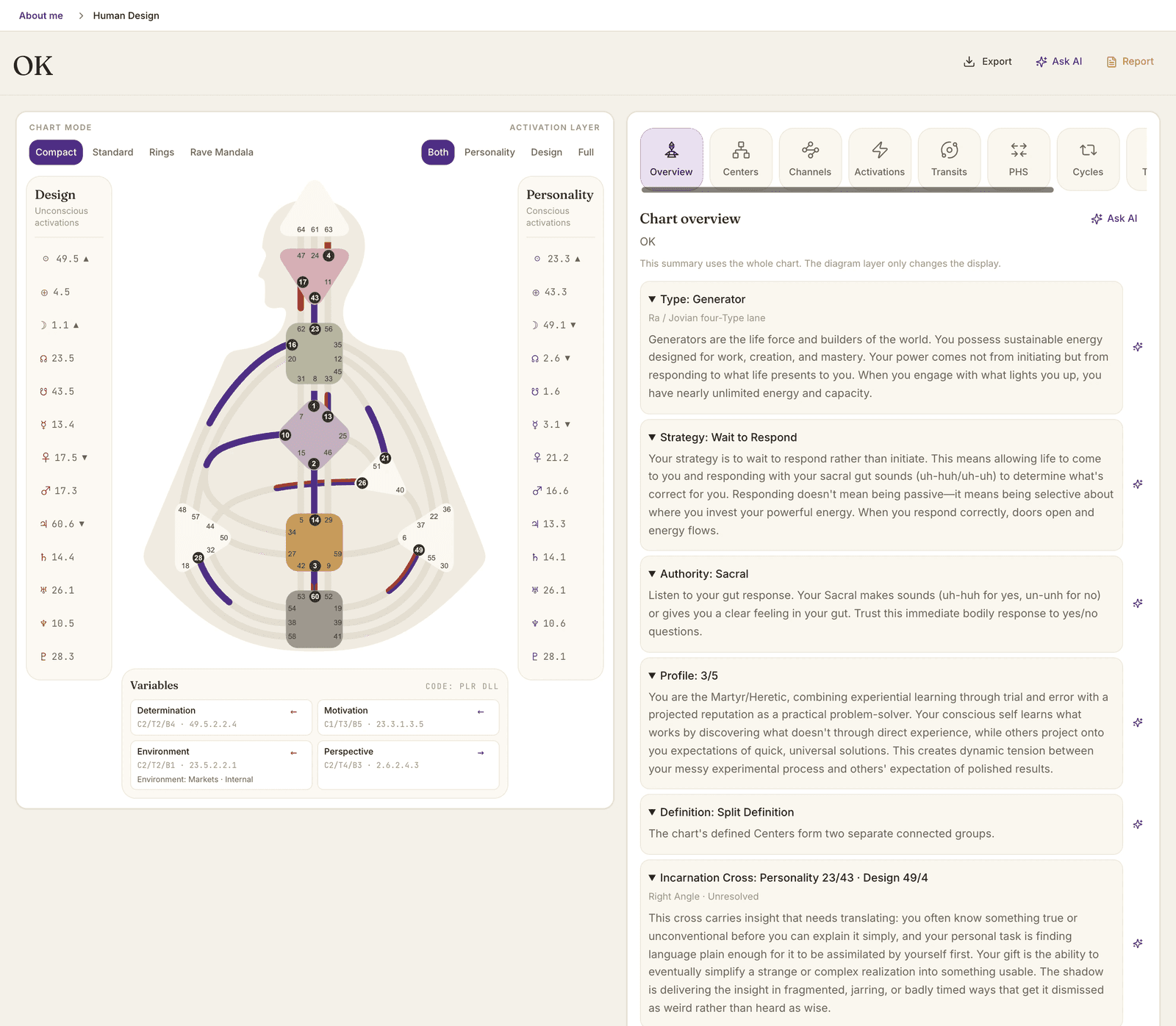
The full BodyGraph, not just the type
Type, strategy, authority, profile and definition up top, then centers, channels, gates and the Incarnation Cross. Transits, cycles and a pair chart run on the saved design. On Pro and in Personal.
Ask Sky why a channel matters or how a transit lands on an open center. It answers from the saved BodyGraph, in Human Design terms. The pair chart shows how two designs connect, with no compatibility score to argue about.
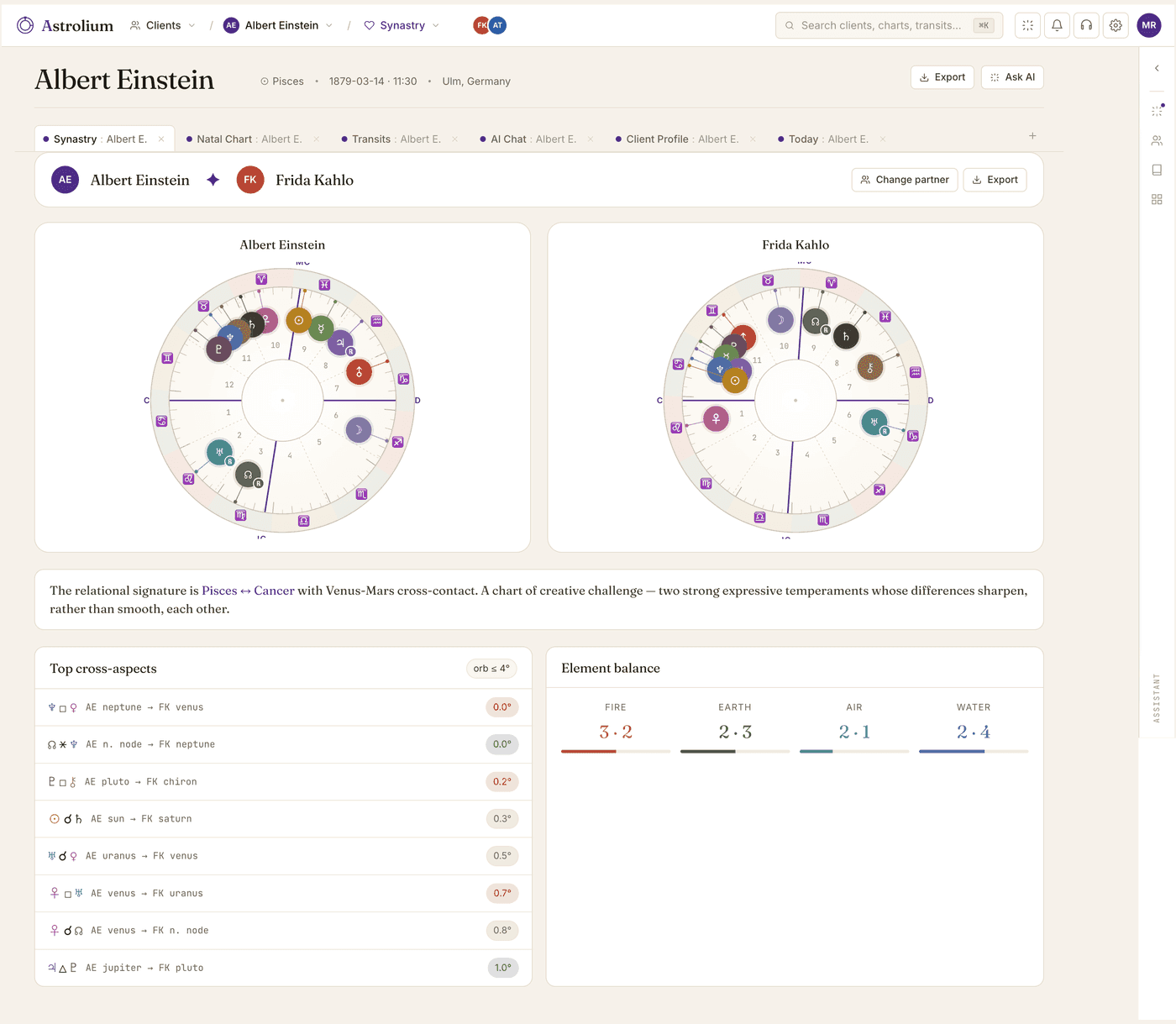
Synastry
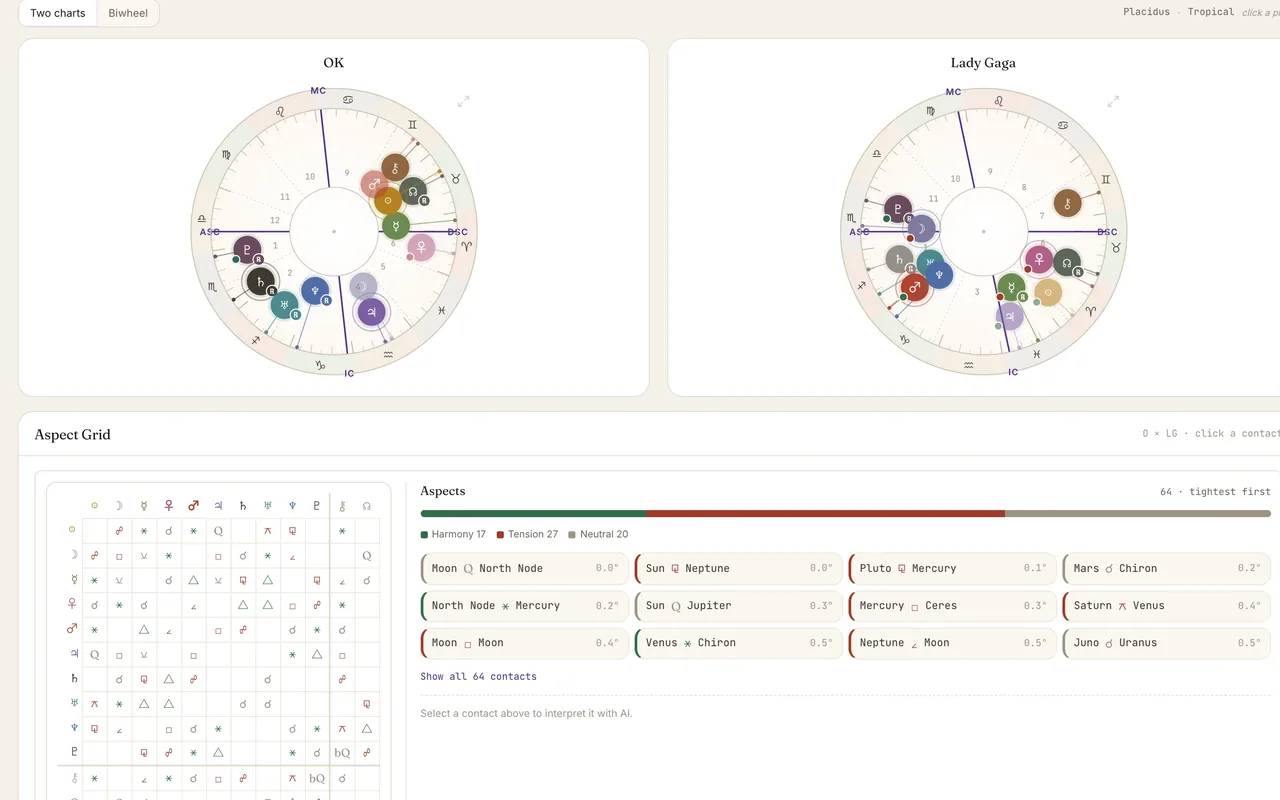
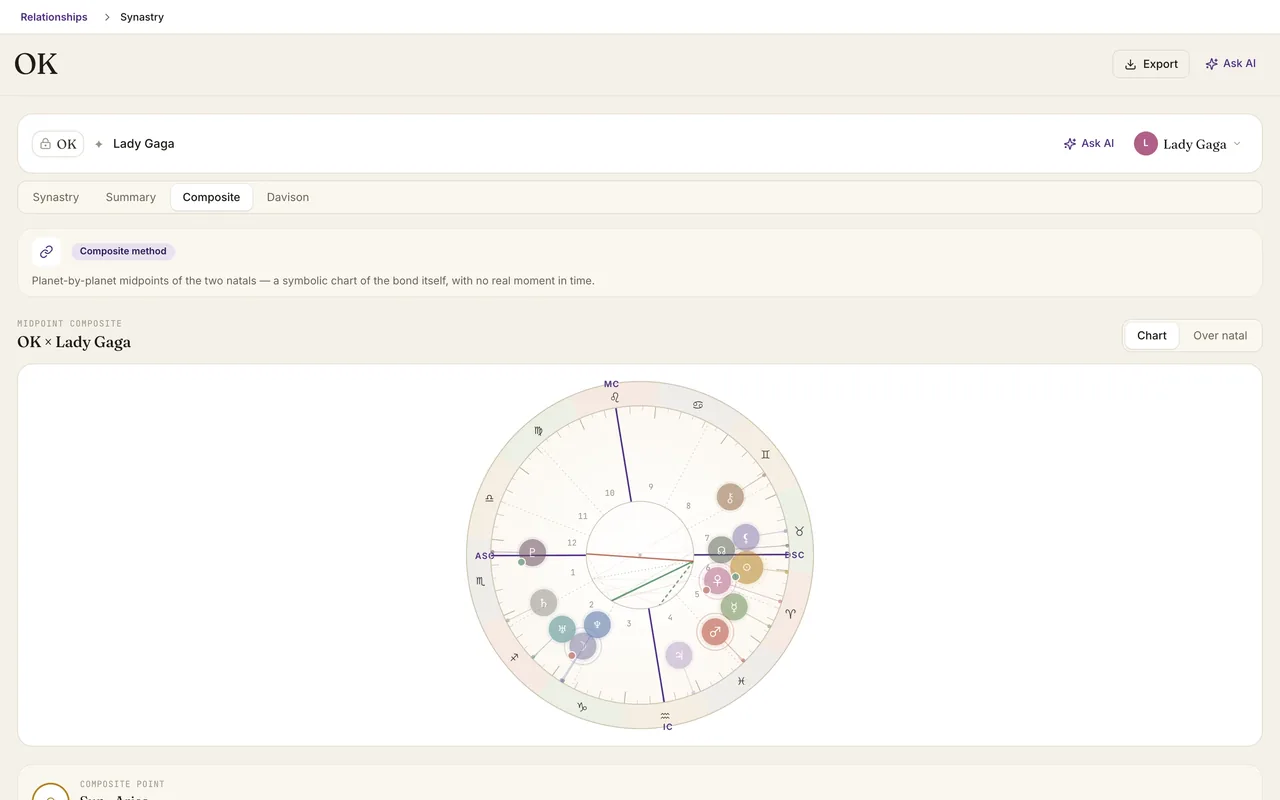
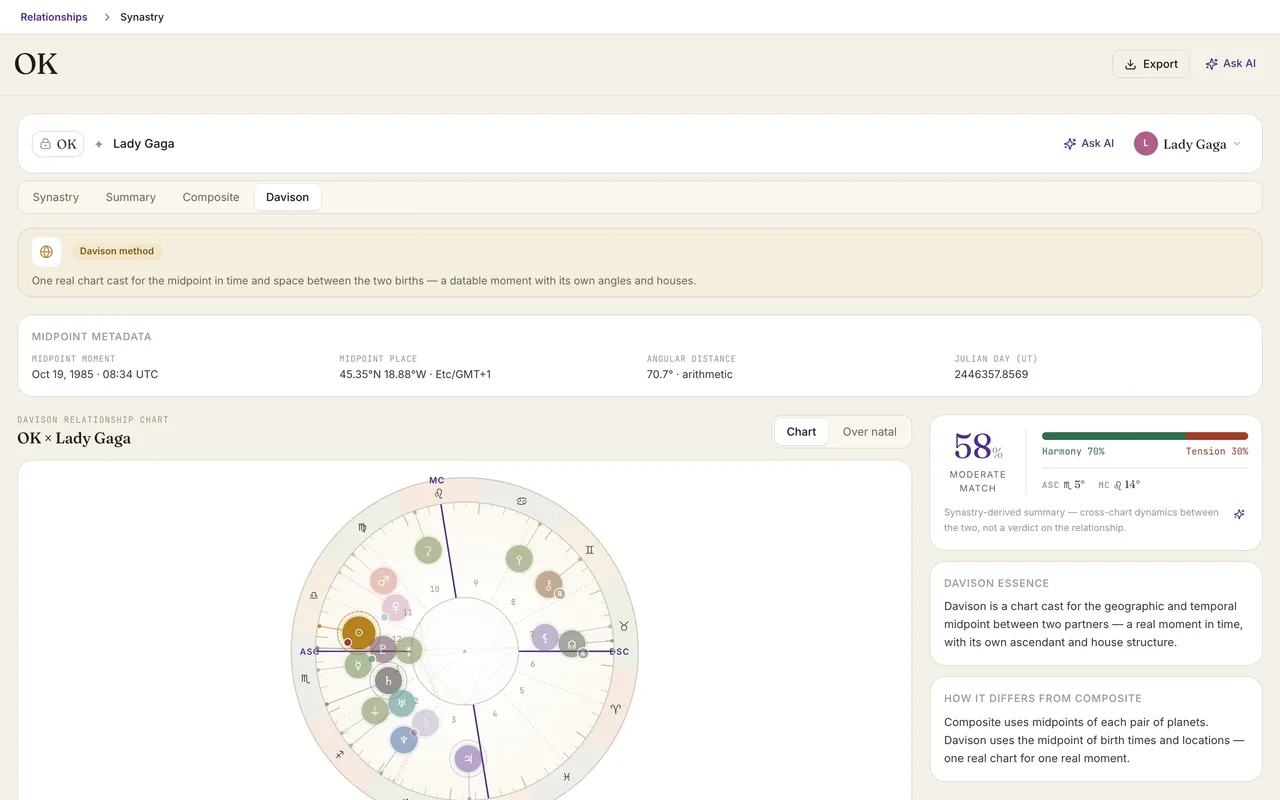
Synastry that explains itself
Biwheel, composite, Davison. Inter-aspects ranked by orb, with a one-paragraph compatibility brief per pair you can paste into a session.
The compatibility brief isn't a template. Sky weights the inter-aspects by orb and rulership, recognizes the dominant theme (Saturn binding, Venus-Mars charge, Moon contact), and writes a paragraph in your voice. Edit one sentence, paste into your session doc, done.
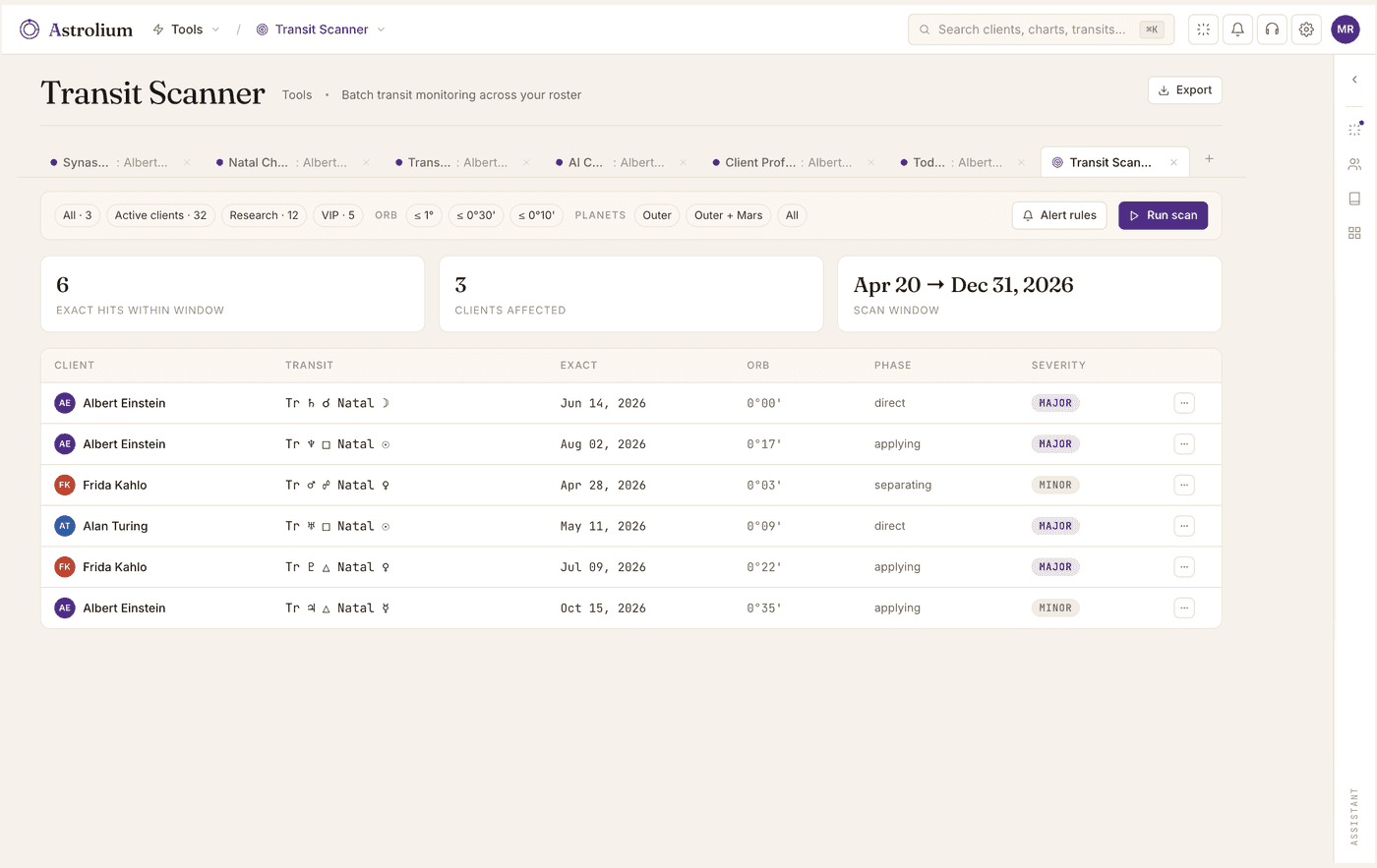
Transit Scanner
Transit Scanner across your roster
Pick a transit. See every client it touches in the next 90 days, sorted by exactness — the kind of question Solar Fire and Astro Gold simply can't answer.
Or skip the picking entirely. Ask Sky “who's having a hard month”. It scans your whole roster for stressful aspects (hard Saturn, Pluto squares, eclipses on angles), ranks by intensity, and tells you which three clients deserve a check-in this week.
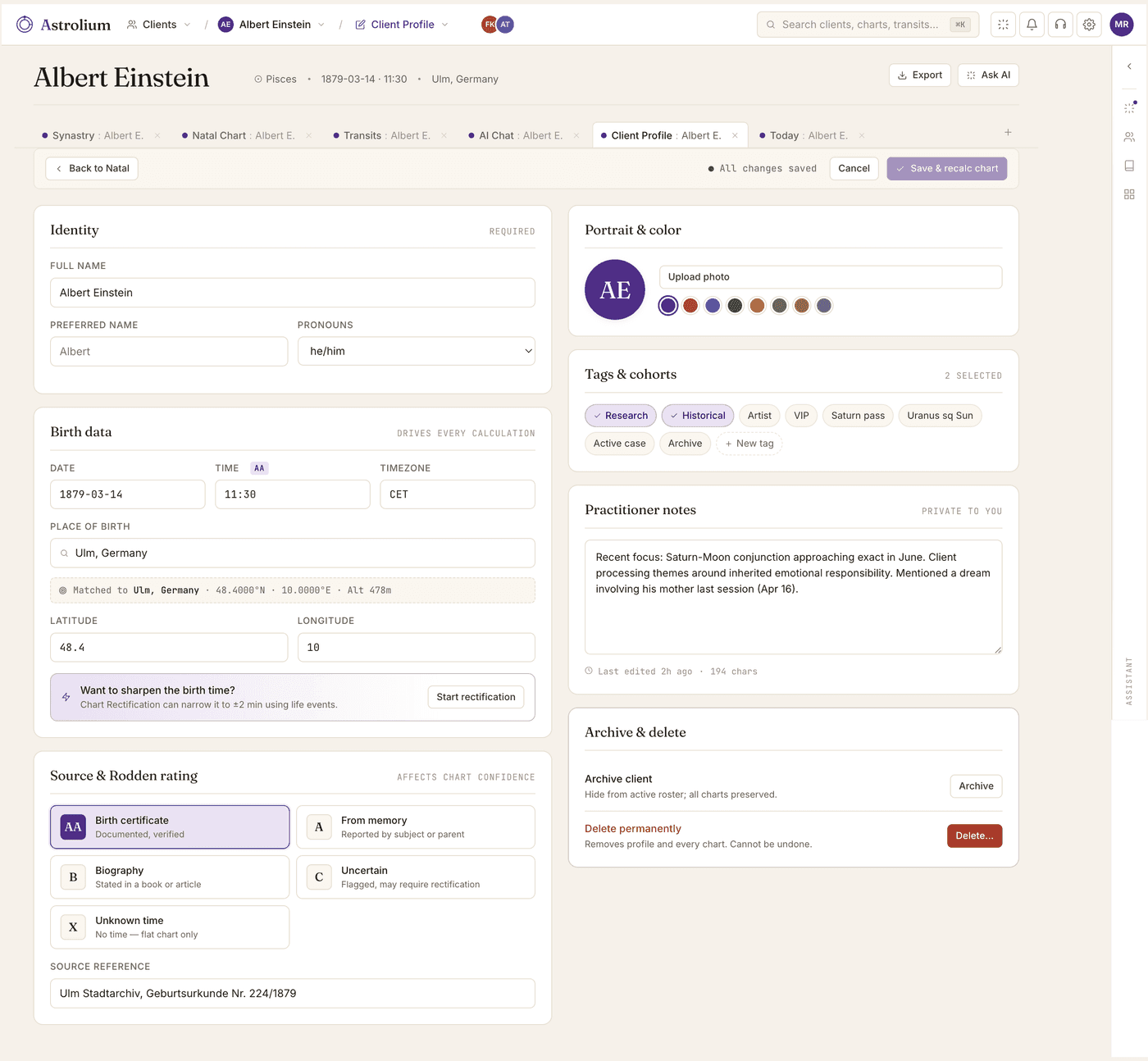
Client CRM
Real CRM, not a folder of PDFs
Client profile, session history, intake forms, Rodden ratings, tags, next-session reminders — all in one place, searchable.
Before each session Sky prepares a sheet: last three notes summarized, what you predicted last time and whether it landed, the active transits since you last spoke, and one open thread to follow up on. Three hours of prep becomes twenty minutes.
Sky
An assistant that reads your way
Load your own interpretation rules and notes into the Knowledge Base. Sky reads every chart against that material, so the output follows your method and voice, ready to send as a client email, Instagram message, or PDF.
Not generic AI. Sky runs real calculations on your client data, cites the chart it pulled, and writes in the voice your Knowledge Base sets. The reading comes out the way you write it, so you change a sentence or two instead of starting over.
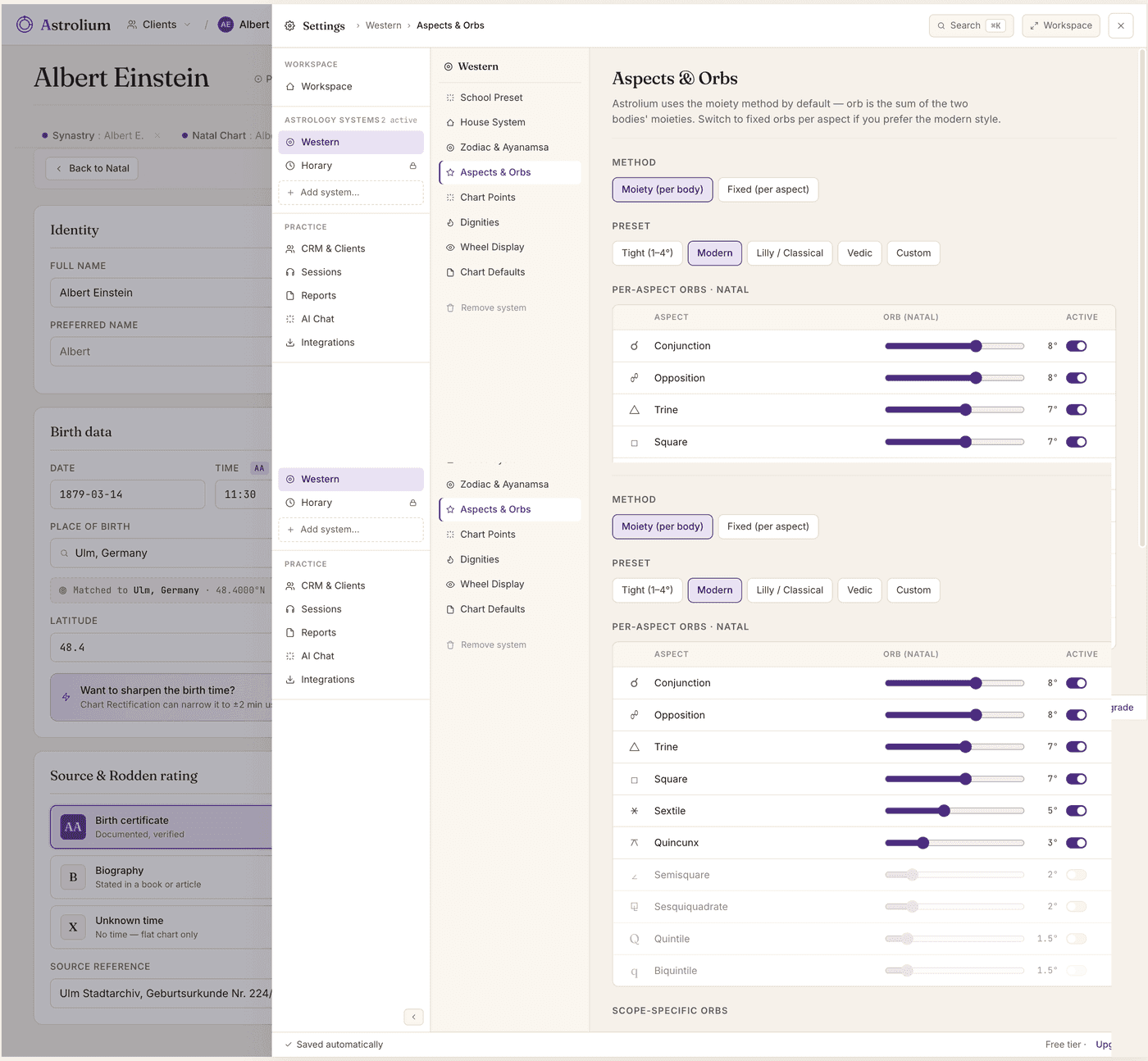
Settings
Defaults you set once
House system, orbs, ayanamsa, glyph style, language. Override per chart when you need to. Stop reconfiguring every reading.
Sky inherits your defaults too. It never argues for Placidus when you've set Whole Sign. Never quotes a Modern technique mid-Hellenistic conversation. Your voice, your school, your assumptions, by default.
What practitioners say
From the astrologers who got here first
“I was deeply skeptical. I've used Solar Fire since 2007 and I expected another half-baked Electron app. Then the Transit Scanner found me three clients in a Saturn-Moon window I would have missed. I'm a believer.”
Helena R.
Hellenistic · 14 yrs in practice
“First astrology software I've actually wanted to open. The Today screen alone is worth it. I check it like email now.”
Marco V.
Modern · 6 yrs · Milan
“The AI assistant doesn't make things up. It runs a tool, shows me the result, and then talks like an astrologer. I've never seen that before.”
Priya N.
Vedic · 9 yrs · Pune
“I moved 142 clients out of a Notion database in an afternoon. Every birth time imported correctly. I cried a little.”
Sam K.
Modern · 4 yrs · Berlin
Pricing
Free to start. $11/mo when you want the AI.
Cast charts, read transits, and run the Today screen free on five clients, with all 23 house systems and no card. Pro adds 50 AI credits a month, synastry, returns, and Report Studio. Astrolium Personal, the mode for reading your own chart, is $12 a month.
- Free · $0
- Astrolium Personal · $12/month
- Pro · $11/mo
- Adept · $29/mo
- Master · $79/mo
Every method, one workspace
Twenty-five ways to read a chart, all in the same app.
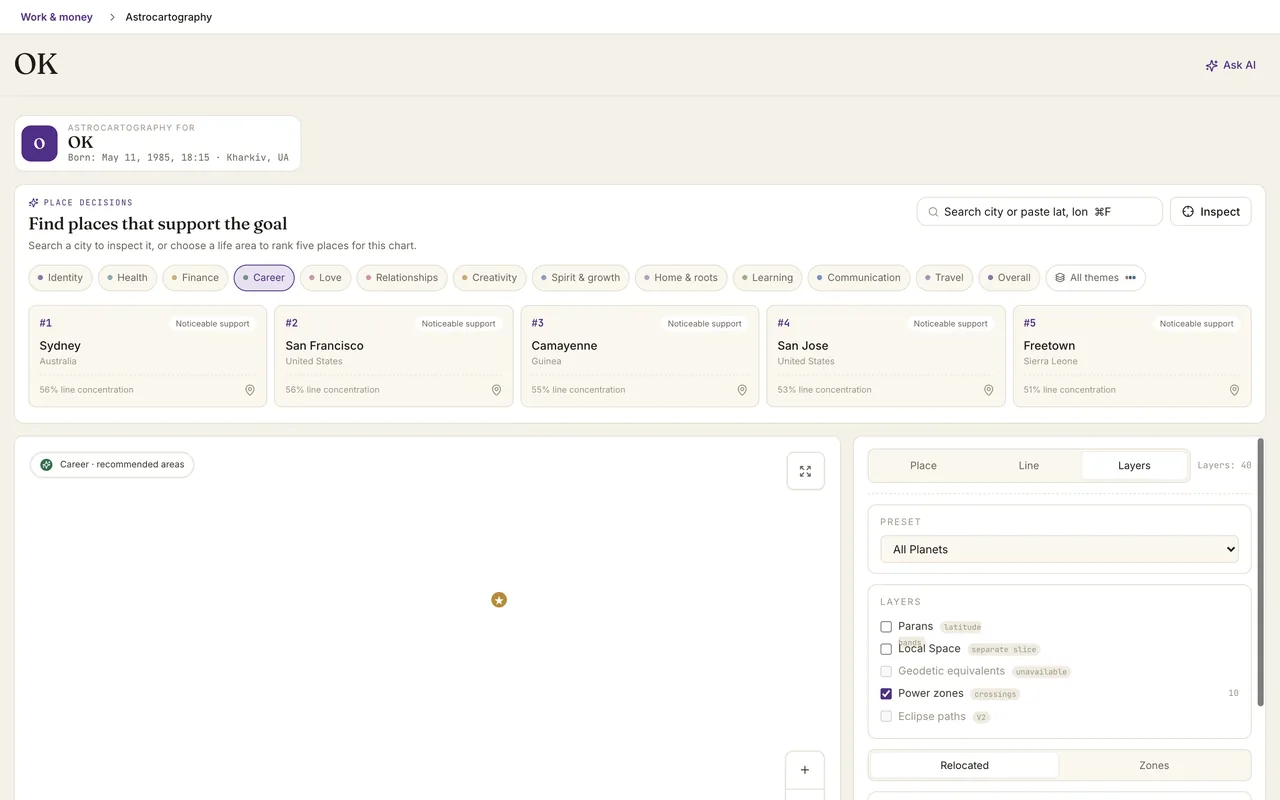
Western, traditional, Vedic, Human Design and more, each with Sky beside it. The chart methods all open on the same saved birth data, so nothing is typed twice.
Charts and tables
 Natal chartThe full interactive wheel with houses, aspects, dignities and a professional workspace for close reading.
 Data sheetEssential dignities, almuten, sect and hayz, receptions, declinations and element balance on one sheet.
 Multi-wheelStack natal, transits, progressions and returns as layers of one wheel.
 Dials90°, 45° and 360° cosmobiology dials with a midpoint layer and a graphic ephemeris on the same screen.
 LotsTraditional Lots, from Fortune and Spirit to topic lots, with formula and ruler.
 EphemerisExact planetary positions for any date, with stations and ingresses flagged.
Timing and forecasting
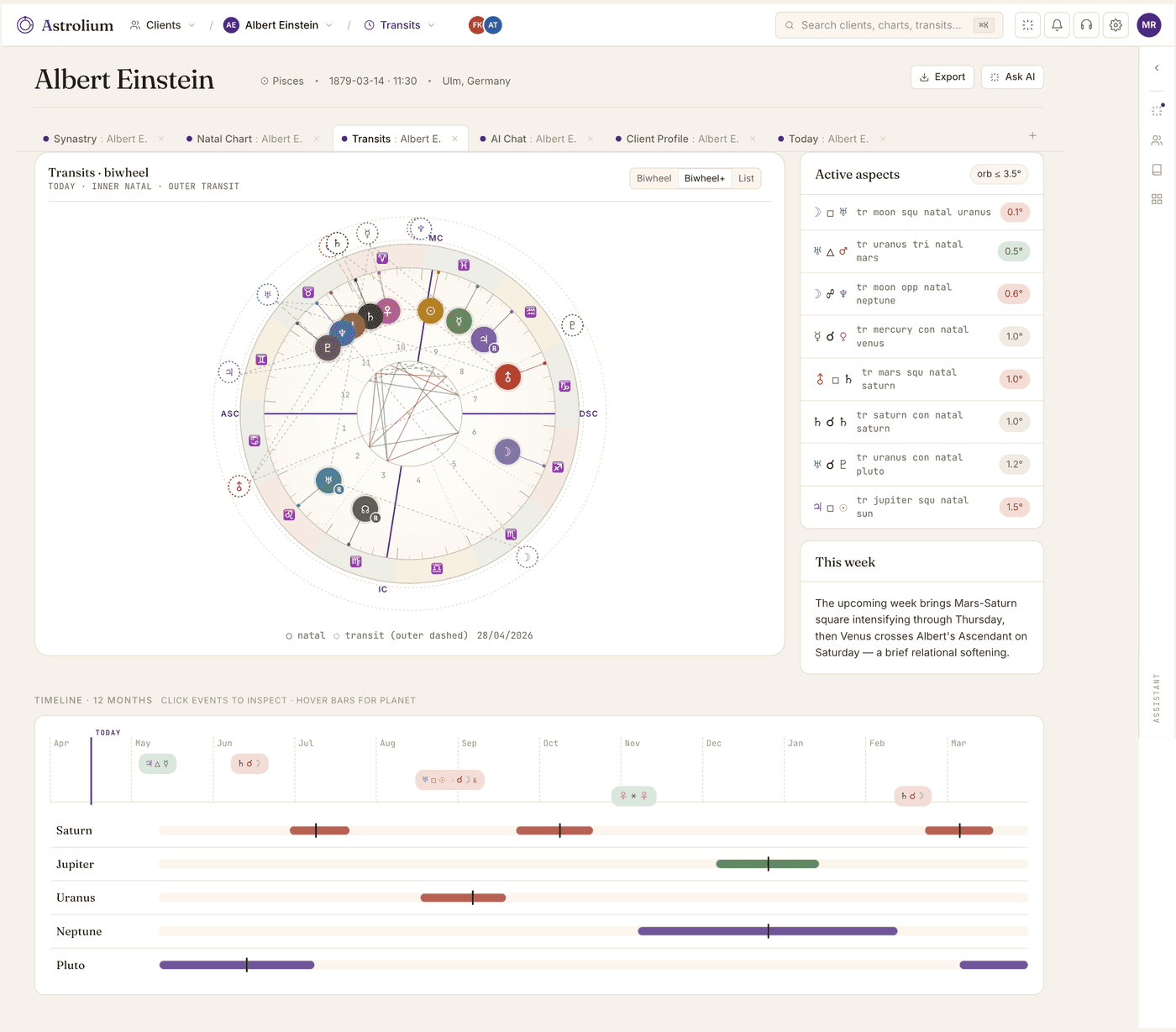
 TransitsWhat is active now and the dates that matter next, on a year-wide time navigator.
 ProgressionsSecondary progressions and solar arc for the slower inner story of the chart.
 Solar returnThe year ahead from the return chart, with relocation for birthdays away from home.
 Lunar returnThe month ahead from the Moon's return, stepped from one return to the next.
 Planetary returnsExact Venus returns across the year, including retrograde passes and triple returns.
 Time lordsProfections, zodiacal releasing, firdaria and decennials in one place.
 Life cyclesSaturn, Jupiter, Uranus, Chiron and nodal cycles on one dated life ribbon.
 Cosmic weatherThe current sky, lunar phases and the shifts coming up this week.
Relationships
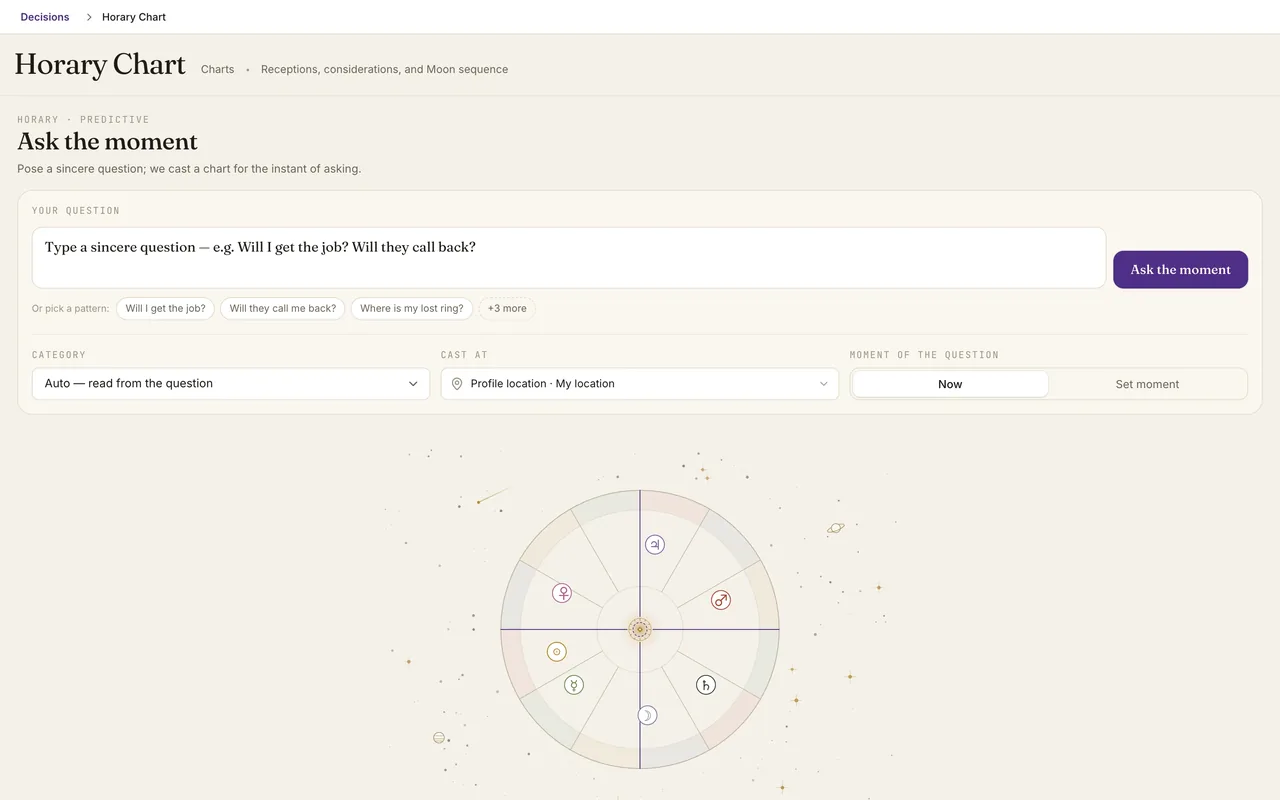
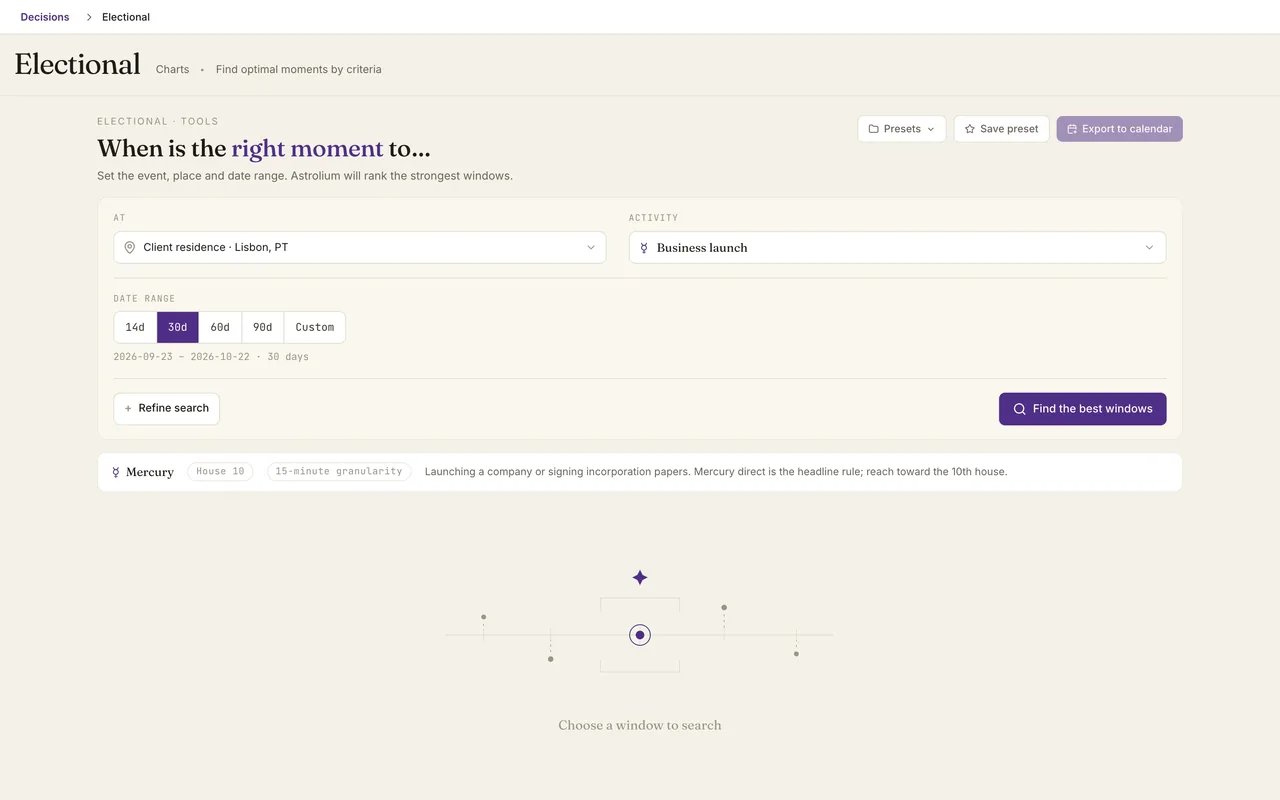
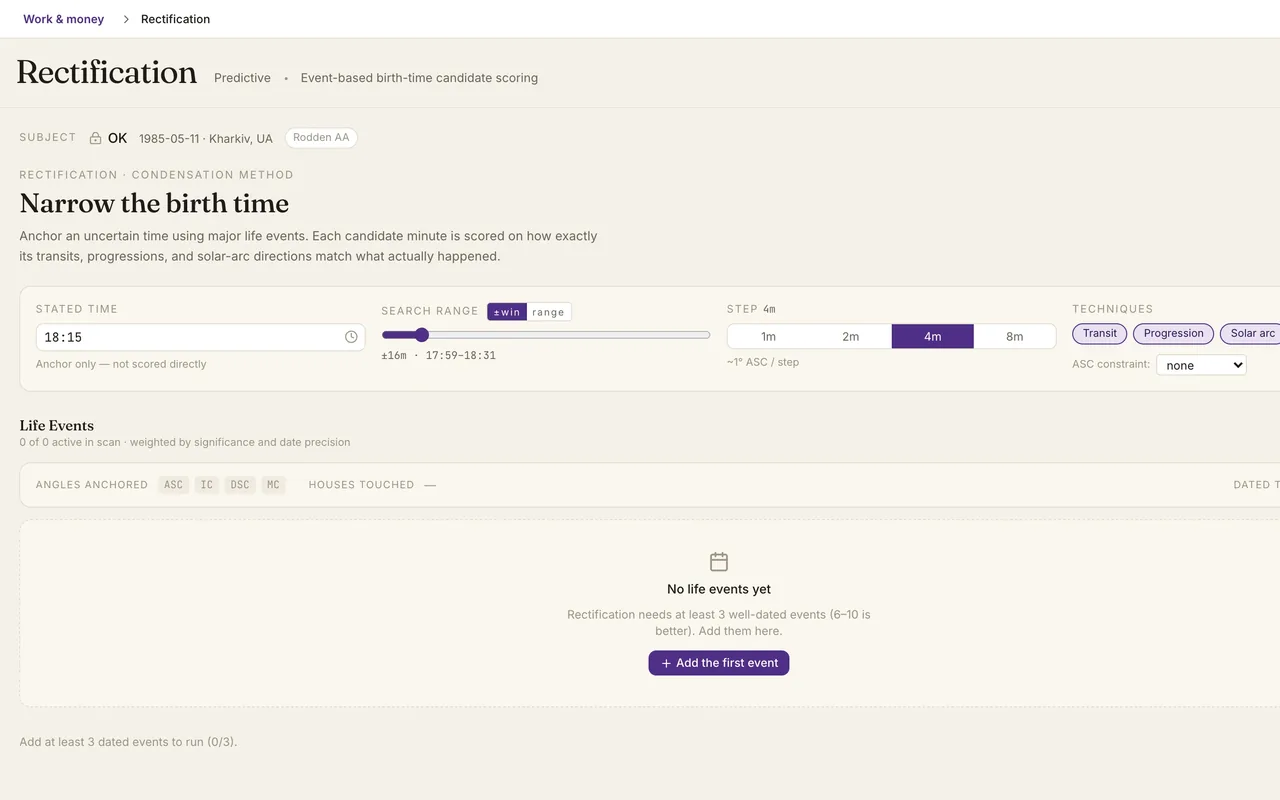
Questions, choices, birth time
Other traditions
 JyotishKundli, vargas, nakshatras, Vimshottari dasha and Sade Sati.
 Human DesignBodyGraph, type, authority, profile, centers, channels and a pair chart.
 Tree of LifeA Hermetic Qabalah reading of the natal chart across ten Sephiroth and 22 paths.
 NumerologyCore numbers from birth date and name. Free on every plan.
Honest comparison
Want to know why astrologers switch to Astrolium?
A straight, side-by-side look at Astrolium next to Solar Fire, Astro Gold, and TimePassages. Where we lead, and the few places we don't yet.
Questions we get a lot
Stop juggling. Start practicing.
Create an account and start casting charts in the next few minutes. The free tier needs no card, and you can move your practice across at your own pace.