Feature · Cosmic Weather

Today's sky, in your own time zone.

Astrolium's Cosmic Weather is a free daily sky dashboard: the day's defining aspect, the Moon's phase, a local-time event timeline and the next seven days.

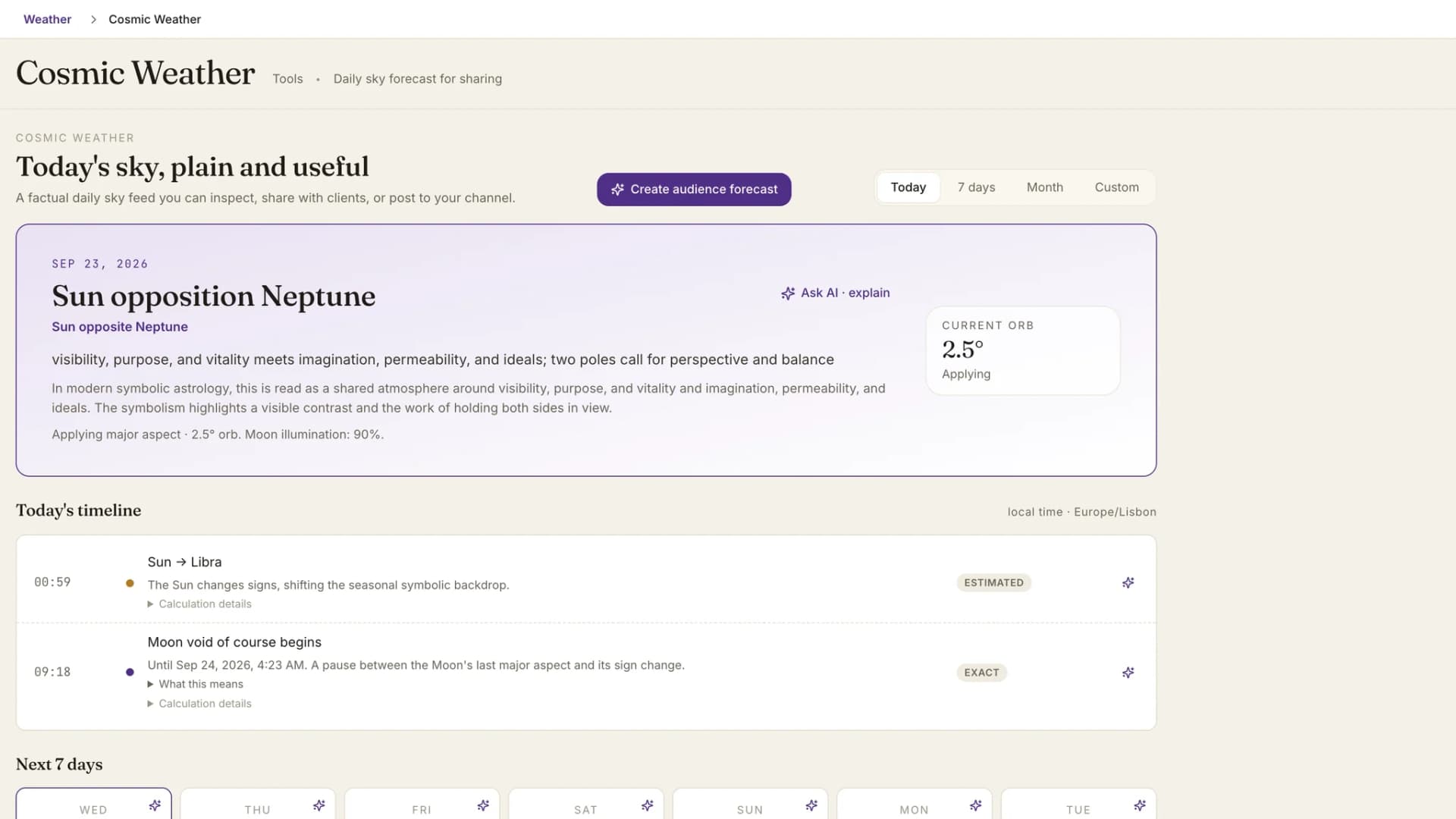
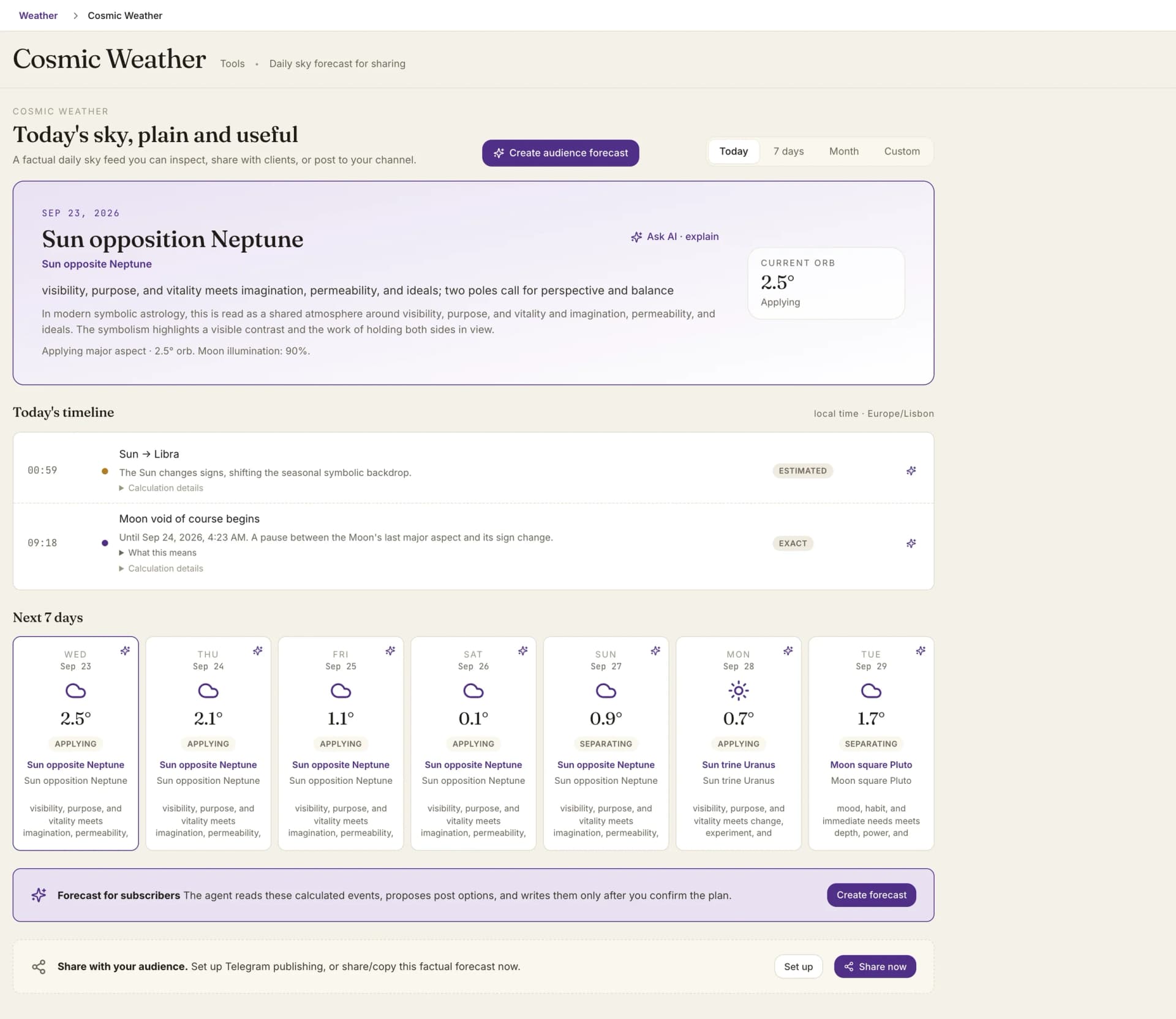
Cosmic weather: the main sky event today, the current orb and the day's timeline in local time

By Oleg Kopachovets · Updated September 23, 2026

01

The day's sky usually lives in three places: an ephemeris for positions, a void-of-course table, and a lunar calendar. None of them agree on the time zone.

02

Daily horoscope feeds print a mood and hide the aspect, the orb and whether it is applying, so there is nothing to check.

03

An estimated exact time and a timestamped one often look identical on screen, which is how a client gets told an aspect perfects at 14:07 when nobody calculated that minute.

Capabilities

What you can do with our daily astrology dashboard

One defining aspect per day

The dashboard picks the day's headline aspect from the five majors between Sun and Pluto, with its orb and whether it is applying, separating or stationary. With no major aspect in range, the Moon's sign and phase take the headline instead.

Moon phase and illumination

The hero always prints how much of the Moon is lit. On a day with no major aspect, the phase leads, named across all eight octants from New Moon to Waning Crescent.

A timeline in local time

The defining aspect's exact moment, sign ingresses, stations, lunar phases and void-of-course windows, listed by clock time in the time zone of your practitioner location. The zone is printed above the list.

Today, 7 days, Month, Custom

Four period tabs. Today shows the next seven days under the timeline, Month lays out the calendar month, and Custom takes any range up to 366 days.

Precision on every row

Each event is labelled exact, estimated or day-level. Calculation details name the source behind it: global positions, position projection, lunar phases, planetary stations or the void-of-course feed.

Share the facts

Share now sends a plain factual summary of the selected day through your device's share sheet, or copies it where sharing is not supported. Telegram publishing is set up from Settings.

How daily astrology dashboard works in Astrolium

  1. Step 01 / 03

    Open the module

    Cosmic Weather opens on today. Current positions refresh every 30 seconds while the tab is active, so the orb in the hero is the orb right now.

  2. Step 02 / 03

    Pick a day

    Select any day card and the hero and timeline switch to that date. Cards show a sun for a harmonious defining aspect, a cloud for a hard one, and a moon when no major aspect leads.

  3. Step 03 / 03

    Ask, share or publish

    Ask AI on a day or a single event, share the factual summary, or on the Adept plan turn the period into posts for your subscribers.

In the app

The real daily astrology dashboard screen, not a mockup

Cosmic weather: the main sky event today, the current orb and the day's timeline in local time

Astrolium's Cosmic Weather module is a daily sky dashboard: the aspect that defines the day, the Moon's phase, an hour-by-hour timeline in your own time zone, and the days ahead as a row of cards. It is included on the Free plan; see pricing for the rest.

It sits next to three free tools on this site. The sky weather calculator lists upcoming aspects for any moment, the void-of-course tool gives the full year of void Moon windows, and planetary hours covers the Chaldean hour rulers. For a public look at today's positions without an account, open today's sky.

What Cosmic Weather shows

Cosmic Weather is the Astrolium app's daily view of the global sky, free on every plan. The top of the screen names one defining aspect for the selected day, chosen from the five majors between Sun and Pluto, with its orb and whether it is applying, separating or stationary. If no major aspect is in range, the Moon's sign and phase lead instead. Under it runs a timeline of the day's events in your local time: the defining aspect's estimated exact moment, sign ingresses, stations, lunar phases, and the start and end of any void-of-course Moon. Each row says whether its time is exact, estimated or day-level. Period tabs switch between today with the next seven days, a seven-day forecast, the calendar month, or a custom range of up to 366 days. Any day or event can go to Ask AI, and any day can be shared as plain facts.

The module describes the sky, not a chart. No client is attached to it, and the AI prompts behind it say so outright: a global sky briefing, never a natal reading.

The hero: one aspect, one number

Most daily feeds lead with a sentence. Cosmic Weather leads with a fact you can check.

The hero names the aspect, for example Mars square Saturn, then prints the orb to a tenth of a degree and the phase. A side gauge repeats the orb in large type. Where the Moon leads the day instead, the gauge switches to illumination, so the number on the right always matches the headline on the left.

Below the headline sits a line of plain facts: the phase of the aspect, the orb, and the Moon's illumination percentage. A short interpretation title and summary appear above it when one exists for that aspect, and the Ask AI button in the corner hands the whole calculated record to the assistant.

The timeline, in your clock

The timeline is where a practitioner plans around the day. Every event carries a time in the zone of your practitioner location, and that zone is printed beside the heading.

It collects these events:

  • the estimated exact moment of the defining aspect, when it falls on that day
  • sign ingresses
  • stations, retrograde or direct
  • New, First Quarter, Full and Last Quarter Moons, with the sign
  • the start of a void-of-course Moon, with the time it ends
  • the end of the void, with the sign the Moon enters

Each row has a small dot in one colour for a timestamped event and another for an estimated one, plus a badge that spells the precision out. Open Calculation details and the row names its source and precision in one sentence. Open What this means for a longer interpretation where the catalogue has one.

We label the difference because it matters in consultation. A void-of-course window read from source data and an ingress projected from planetary speed should not look the same on screen, and here they do not.

Days ahead as weather

The period grid turns each day into a card. The icon follows the defining aspect: a sun for a trine or sextile, a cloud for a square or opposition, a part-cloud sun for a conjunction, a moon when no major aspect leads. Under it you get the orb or the illumination, the phase badge, and the headline.

On the Today tab the grid shows the next seven days under the timeline. The 7 days tab puts the grid first. Month shows the whole calendar month in compact cards and selects today by default. Custom opens two date fields and accepts any range up to 366 days; if some samples fail to load, the missing days are shown as unavailable rather than filled from a neighbour.

Selecting a card moves the hero and the timeline to that date, and the timeline heading changes to name it.

Share the day, or publish for an audience

Share now builds a short factual text for the selected day: the date, the defining aspect with orb and phase, the estimated exact time if there is one, the Moon's sign and illumination, and a sources line stating that projected times are labelled estimated. Where the browser supports it, the device share sheet opens. Otherwise the text is copied to the clipboard. A Set up button beside it goes straight to the Telegram integration in Settings.

Astrologers who run a channel can go further on the Adept plan. Create audience forecast opens an agent that reads the calculated events for the selected period and proposes post options: a series for the week, a post for a lunation or a station, a lunar calendar, or a split across the twelve signs read by rising sign or Sun sign. It writes nothing until you confirm the plan, and an event the calculation does not hold never reaches a post. Finished setups save as templates in Report Studio and can run every day, every Monday or on the first of each month at 09:00.

Two limits are stated in the product rather than discovered later. A single day cannot be split by sign, because over one day only the Moon changes and twelve texts would come out almost identical. And prose posts cover about 92 days at most.

Where to go next

For a chart-specific view of the same planets, the transits module sets them against a natal chart with activation windows. For timing work on this site without signing in, use the sky weather calculator, the void-of-course schedule and the planetary hours calculator. Plans and the Adept features are on the pricing page.

Frequently asked questions

Is Cosmic Weather free?
Yes. Cosmic Weather is a Free-tier module in the Astrolium app. The sky dashboard, the timeline, the period tabs and Share now all work on the Free plan. Ask AI on a day or an event draws on AI credits, which come with Pro or a one-time top-up. The audience forecast, which writes posts for your subscribers from the calculated sky, needs the Adept plan. Sky events and copying the facts stay available on whatever plan you are on.
How is the day's defining aspect chosen?
Only the five major aspects between the ten bodies from the Sun to Pluto take part: conjunction and opposition within 8°, square and trine within 7°, sextile within 4°. Candidates are ranked, and the one on top becomes the headline with its current orb and phase. When nothing qualifies, the headline falls back to the Moon's sign and phase, and the gauge shows how much of the Moon is lit.
Which time zone does the timeline use?
The time zone saved with your practitioner location in Settings. If you have not set one, the browser's own zone is used. The zone name is printed beside the timeline heading, so a screenshot sent to a client carries it too. Events that only resolve to a date, such as some stations, show All day instead of a made-up clock time.
What does estimated mean on an event?
The time was projected from planetary speed rather than read from a timestamped source. Sign ingresses and the exact moment of the defining aspect are estimated this way, and the shared summary says so in its sources line. Void-of-course windows, lunar phases and timed stations come from source-timestamped data and are marked exact.
Can it write posts for my Telegram channel?
On the Adept plan, Create forecast opens an agent that reads the calculated events for the chosen period, proposes post options, and writes them only after you confirm the plan. It can split posts across the twelve signs, save the setup as a template in Report Studio, and run it daily, weekly or monthly. Prose posts cover up to about 92 days at a time.

Get Today's sky, in your own time zone. as part of Astrolium

One subscription covers every feature. 5 free client profiles, no card required.