Feature · Dials

Dials, built around the axis.

Astrolium's Dials module puts the axis first: nudge it by the arcminute, read orb-sorted midpoint pictures, and stack natal, solar arc and transit layers.

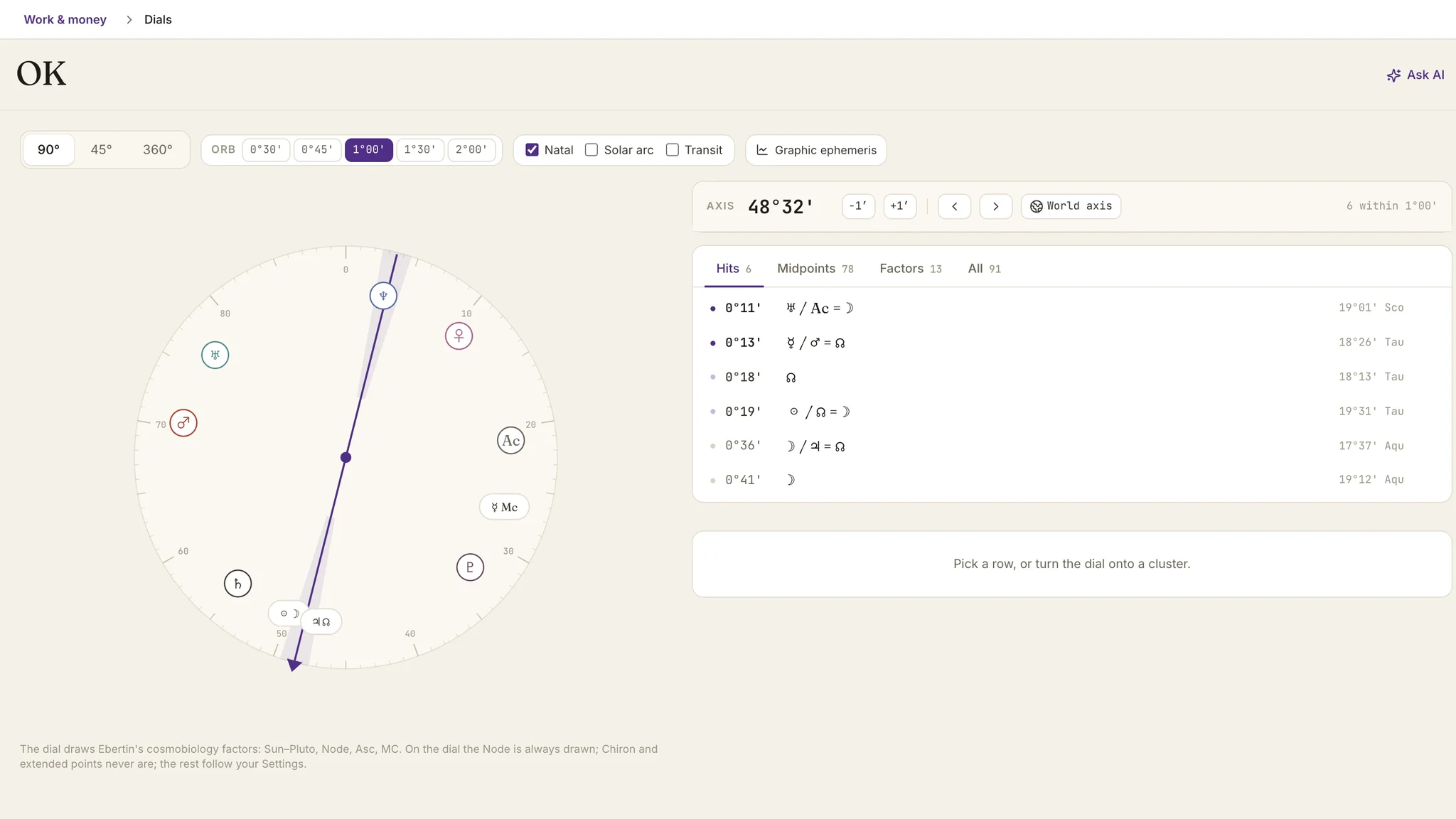
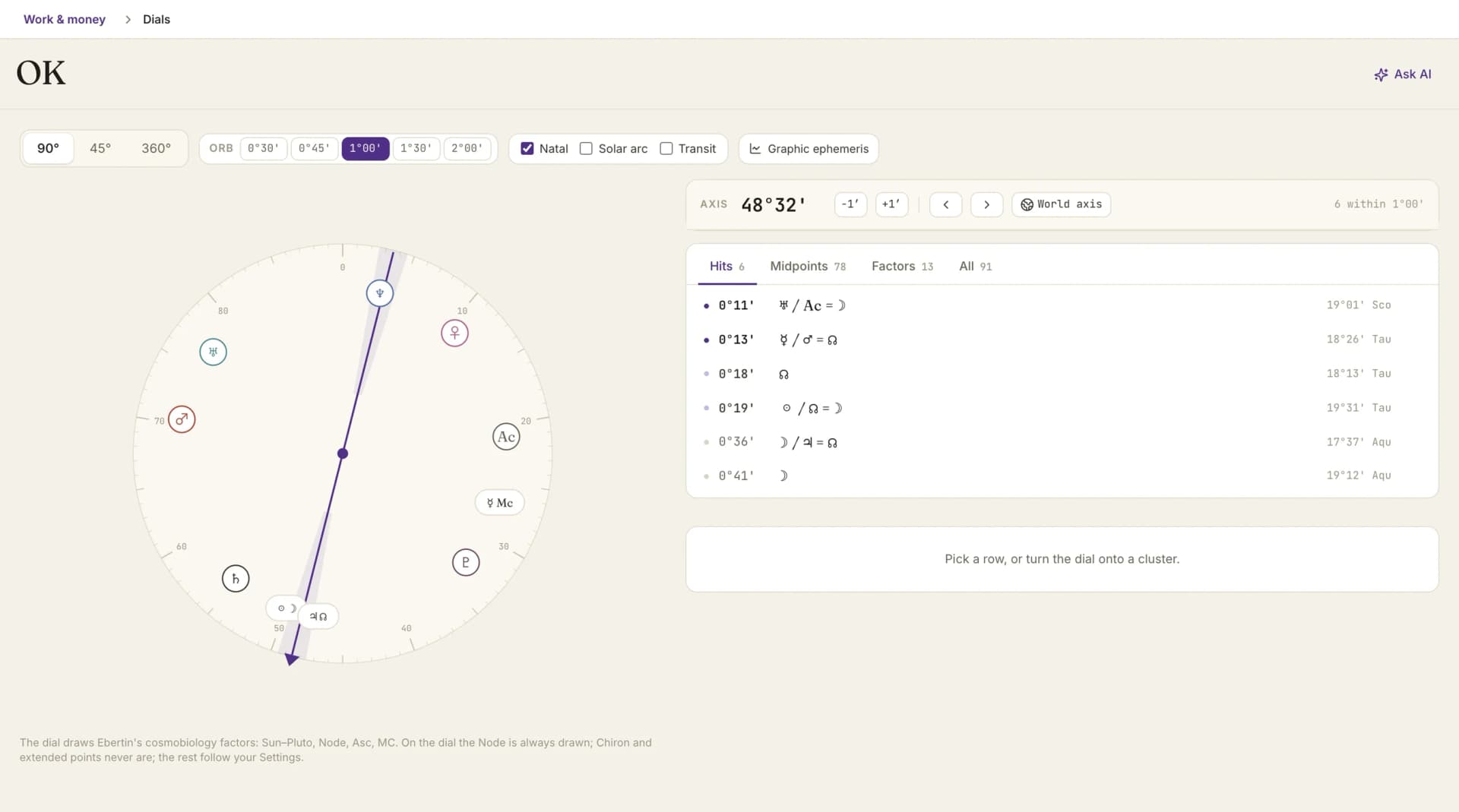
The 90-degree dial with the pointer on an axis and the midpoint list for that axis

By Oleg Kopachovets · Updated September 16, 2026

01

Most software renders midpoints as a 78-row table sorted by pair name. The number that decides everything, the axis, is not on screen at all.

02

Orb sits in the last column in grey, when orb is the whole significance test in cosmobiology.

03

Directed and transiting contacts live in separate charts, so the layer that dates an event to the year and the layer that dates it to the day never meet.

04

The graphic ephemeris means a second program, a second export and a printer.

Capabilities

What you can do with our cosmobiology software

An axis with a readout

The pointer shows its position and takes input. Arrow keys nudge it one arcminute, Shift and an arrow move a full degree, and prev/next factor jumps it straight onto the next body.

Sorted by orb, always

Rows arrive tightest-first across four tabs: Hits, Midpoints, Factors, All. There is no alphabetical mode to fall back into, because orb is the significance criterion.

Three layers on one dial

Natal, solar arc and transit. Solar arc is on by default at the current year, so the first screen already shows what is live for this client.

Two orbs, two meanings

Natal contacts default to 1°00'. Directed contacts default to 0°30', because the arc advances about a degree a year and that orb is really a six-month window either side of exact.

World axis, named correctly

One control parks the axis on a cardinal zero and carries a live count of what stands there. It is hidden on the 45° dial, where a parked axis would also collect degrees that are not world points.

Graphic ephemeris in the same screen

Ebertin's 90° and 45° modulus views, one to 36 months forward, eleven bodies plus an optional Moon on windows of three months or less.

How cosmobiology software works in Astrolium

  1. Step 01 / 03

    Open on the densest cluster

    The axis starts where the chart is busiest rather than at zero, so the first screen carries structure instead of an empty list.

  2. Step 02 / 03

    Step through the factors

    Prev and next factor walk the axis across all 13 cosmobiology points in turn. Walking the whole set is what a midpoint tree is, done one screen at a time.

  3. Step 03 / 03

    Open the picture that matters

    Select a row and a card opens below the list with the dial position, the zodiacal degree, the contact type, and a per-row Ask AI button.

In the app

The real cosmobiology software screen, not a mockup

The 90-degree dial with the pointer on an axis and the midpoint list for that axis

Astrolium's Dials module is the cosmobiology workspace: a dial you turn, a readout that tells you exactly where the axis stands, and a list of planetary pictures ranked by how tight they are. Natal, solar arc and transit sit on the same ring. Dials is included with the $11 per month Pro plan; see pricing.

For the standalone midpoint arithmetic, run the midpoint calculator. For the school the dial comes out of, read the Uranian astrology guide. For the directed layer on its own, see solar arc directions.

What an axis-first dial means

A dial reads one degree at a time. You park an axis on a position and read every factor and midpoint standing on it, sorted by how close each one sits. Astrolium builds the Dials module around that act: the axis has a visible readout, arrow keys move it an arcminute and Shift plus an arrow moves a degree, and prev/next factor steps it straight onto the next body. Results are always sorted by orb, tightest first. Three layers stack on the same ring: natal at a 1°00' default orb, solar arc at 0°30' and on by default at the current year, and transits at a separate orb because a transiting Moon crosses half a degree in an hour while Uranus near station takes weeks. Directed rows print a month window, never a fabricated day.

Cosmobiology is a subtractive tradition. Reinhold Ebertin stripped the chart down to 13 factors and read the midpoints between them, on the theory that a planetary picture carries more information than a lone aspect. The 90° dial folds the four cardinal signs onto one another so that conjunctions, squares and oppositions collapse into a single contact. What you are left with is a ring, a pointer, and a question about orb.

That is the shape the module follows. Nothing about it is a table with a chart beside it.

The axis

The pointer is the instrument. In Astrolium it has a numeric readout you can type into, a pair of nudge controls that move it one arcminute at a time, and a Shift modifier that moves it a full degree. Arrow keys work the same way once the dial has focus.

Two further controls matter more than they sound.

Prev and next factor jump the axis to the next body in dial order. Stepping through all 13 in sequence is exactly what a midpoint tree is, assembled one screen at a time instead of printed as a wall.

World axis parks the pointer on a cardinal zero and carries a live count of what is standing there. The control is deliberately named world axis rather than Aries point, since calling 0° Capricorn the Aries point is the kind of label a Uranian practitioner screenshots. On the 45° dial the control is hidden, because a parked axis there also collects degrees around 0° Taurus, Leo, Scorpio and Aquarius, which are not world points at all.

The axis opens on the densest cluster in the chart rather than at zero. The first screen carries structure.

Orb is the ranking, not a footnote

Rows come back ordered by orb, tightest first, with no alternative sort. Four tabs slice the same data: Hits (what is within orb of the axis right now), Midpoints, Factors, and All.

A picture's orb is measured between the factor and the midpoint it stands on, not between each side and the pointer. That distinction changes the number on screen. For ♅ = ♃/MC the quantity a practitioner reads is Uranus-to-midpoint, and that is what Astrolium prints.

Two orbs, because they are not the same quantity

Natal midpoint contacts default to 1°00'. Directed contacts default to 0°30'.

The reason is arithmetic rather than taste. Solar arc advances about a degree per year, so orb on a directed contact is a time window: 0°30' reads as roughly six months either side of exact, and 1°00' would quietly present a two-year span as though it were a hit. Transits get their own orb again, because a transiting Moon crosses half a degree in about an hour and Uranus near station takes around 41 days to do the same thing. One shared number cannot serve all three.

Directed rows print their timing as a month, for example exact in about five months. Transit rows date to the day, which is what the technique supports.

Three layers, one ring

  • Natal. Always on. The midpoints derive from it, so it cannot be switched off into an empty screen.
  • Solar arc. On by default at the current year. A cross-layer row names both ends, so SA ASC = ☽/♆ says plainly which side is directed.
  • Transit. Eleven factors, Sun through Pluto plus the Node. Transiting Ascendant and Midheaven are omitted on doctrine: both circle the zodiac daily and a contact to either says nothing durable.

Solar arc and transits are the two halves of cosmobiology's predictive method. Solar arc tells you the year, transits tell you the day, and the module refuses to ship one without the other.

The graphic ephemeris panel

Ebertin's graphic ephemeris lives in the same screen, collapsed until you open it. The panel follows whichever dial you are on, 90°, 45° or 360°, and draws that modulus forward from today across a window of one to 36 months, with eleven bodies plotted: Sun, Mercury, Venus, Mars, Jupiter, Saturn, Uranus, Neptune, Pluto, the Mean Node and Chiron. Show Moon adds a twelfth on windows of three months or less.

An About this chart disclosure sits under the panel and states what the drawing cannot do. The window always starts today, so there is no past-year review. There are no natal Ascendant or Midheaven lines. Where natal labels crowd the right margin some are dropped, though the line is still drawn. On a sidereal chart the crossings remain correct; only the cardinal, fixed and mutable bands on the 90° view are labelled for the tropical zodiac.

We would rather print that list than let a practitioner assume a capability the panel does not have.

Ask AI, one row at a time

Every row carries an Ask AI button. Four presets cover the common asks: explain this planetary picture, interpret this structure, compare with solar arc, find strongest configurations. The solar-arc comparison preset is hidden whenever the directed layer is off, so the model is never invited to compare against data it was not handed.

Coming in from the natal wheel

Turn on the midpoint layer in the natal chart workspace, select a structure, and the inspector offers Explore in Dials. The axis arrives already parked on that midpoint. For practitioners who read the wheel first, that handoff is usually how the module gets opened at all.

Cross-link

For midpoint arithmetic without the workspace, use the midpoint calculator. For the tradition behind the 90° dial, read the Uranian astrology guide. For solar arc as its own technique, see solar arc directions and predictive timing. For the daily positions table that hosts the same graphic ephemeris panel, see the ephemeris tool.

Frequently asked questions

Which factors does the dial draw?
Ebertin's cosmobiology set: Sun through Pluto, the Node, the Ascendant and the Midheaven. That is 13 factors and 78 midpoint pairs. The Node is always drawn on the dial; Chiron and the extended points are never drawn there, and the rest follow your Settings. The transit layer carries 11 of those factors, Sun through Pluto plus the Node. Transiting Ascendant and Midheaven are left out on purpose, since both sweep the entire zodiac every day.
Why does a directed contact show a month instead of a date?
Solar arc advances roughly one degree per year, so an orb of 0°24' is about five months from exact. Astrolium prints the window as a month, for example exact in about five months, and never invents a day. The arc rate itself varies with the natal Sun's speed, so a day-level claim would be precision the technique cannot support. Transits are different: those genuinely date to the day, and the transit layer shows them that way.
Which dial harmonics are available?
90°, 45° and 360°. The 90° dial is the working default for cosmobiology, the 45° dial tightens the same structures further, and 360° keeps the zodiacal picture for anyone who wants to read the dial and the wheel together. A row that collides at 45° but not at 90° is labelled 45° only rather than indirect, because indirect means two other things in the literature.
Can I get to the dial from a natal chart I already have open?
Yes. Open the midpoint layer on the natal wheel, select a structure, and the inspector offers Explore in Dials. The axis lands on that midpoint with the factors already around it, which saves retyping a degree you were just looking at. It is the fastest route into the module for practitioners who read the wheel first and reach for the dial second.
What does the graphic ephemeris panel actually show?
The Ebertin-style longitude graphic ephemeris at the modulus of the dial you are on, 90°, 45° or 360°, drawn forward from today for one to 36 months. Eleven bodies are plotted: Sun, Mercury, Venus, Mars, Jupiter, Saturn, Uranus, Neptune, Pluto, the Mean Node and Chiron, with the Moon available on windows of three months or less. The panel is collapsed until you open it, and an About this chart disclosure states what it cannot do, including the absence of a past-year start date.

Get Dials, built around the axis. as part of Astrolium

One subscription covers every feature. 5 free client profiles, no card required.