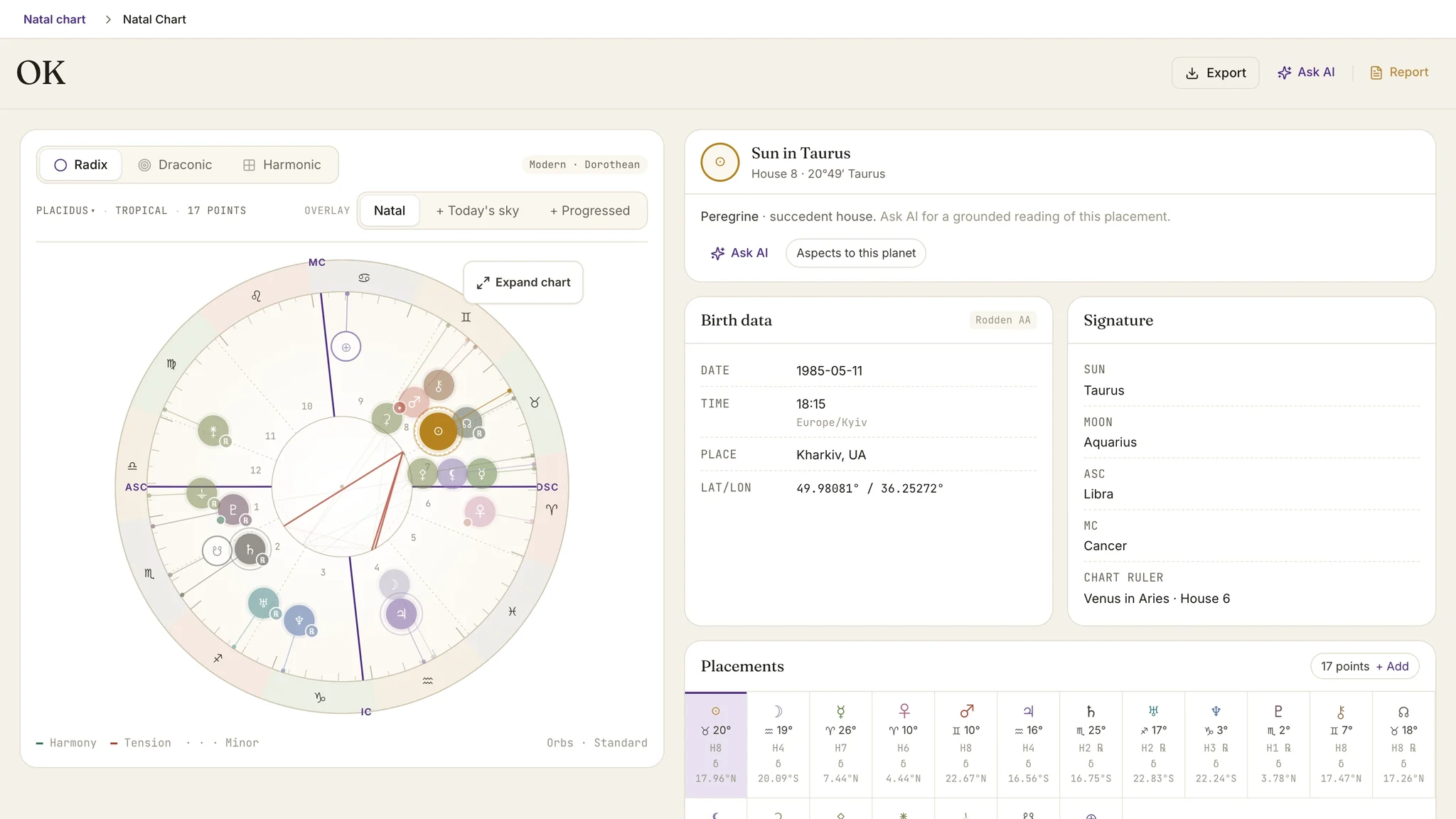
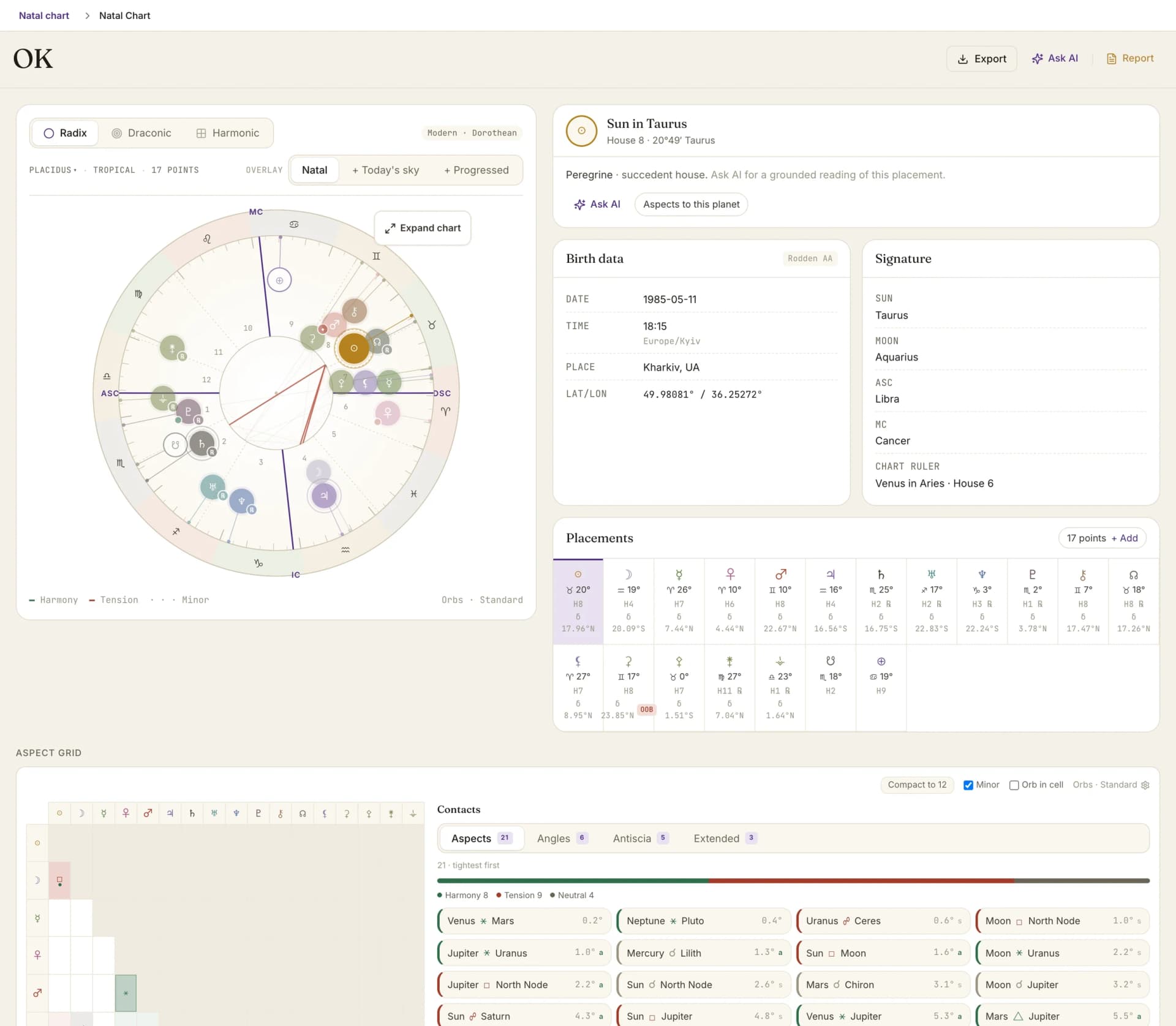
The Astrolium natal chart is a working chart, not a souvenir. It runs the Swiss Ephemeris core that Solar Fire and Astro Gold use, with 23 house systems, the Robson and Brady fixed star catalogs, Arabic parts, and six curated asteroid points all available on the wheel. Drag any layer on or off and the wheel re-renders in under 300 ms. When you need the reading surface rather than the overview, Open full chart turns the same wheel into a viewport-sized workspace.
The free chart generator casts a natal without signup. The how-to-read-a-natal-chart guide walks through the reading order. For the timing layer that attaches to any natal, see predictive timing. For the partnership view, see synastry. For the $11 per month Pro plan, see pricing.
What a working natal chart needs
Most natal-chart tools optimize for the first reading. The astrologer's problem is the hundredth. You need a chart that opens in 1 click, re-renders the moment you swap a house system, and saves to the client's profile so the next session picks up where the last one stopped. Speed and continuity, not novelty.
Astrolium was built for that second problem first. The wheel renders in under 300 ms even with asteroids, fixed stars, and Arabic parts all turned on. The Swiss Ephemeris core matches Solar Fire to the arc second, so positions are not a source of doubt. And every chart you cast in Pro lands in a client profile alongside session notes, intake forms, and the rest of the history.
The four layers
The wheel itself
The Astrolium wheel ships in two layouts: classical (Hellenistic order, traditional rulers, planets grouped by sect) and modern (Pluto, Uranus, Neptune as primary rulers, modern aspect orbs). Toggle between them from any reading view. Aspect lines render with weight by orb, not by hard count, so a tight Venus-Mars conjunction at 1 degree visually dominates a loose Venus-Mars at 7 degrees.
The house system dropdown covers 23 options: Whole Sign (default), Placidus, Koch, Porphyry, Equal, Regiomontanus, Campanus, Alcabitius, Morinus, Topocentric, Meridian, Krusinski, APC, Carter Poli-Equatorial, Sripati, and 8 more. Pick once per project or set a global default. The wheel re-renders without re-entering birth data.
Any planet sitting square the lunar nodal axis is called out as a standing condition, naming the axis and the end it falls on: the northern or southern bending, what evolutionary practitioners read as the skipped step. It is a two-body statement, not a pattern, so it never manufactures a phantom T-square out of the two node ends. Every enabled body is checked, outers included, on every natal chart, with no tier gate.
Open full chart
The compact wheel is the overview. Open full chart is the reading surface, and the two are deliberately different things rather than one drawing at two sizes.
The expanded workspace fills the viewport: a large wheel on the left, a 320 to 380 pixel inspector on the right, and one segmented control at the top that switches between Positions and Cusps. In Positions, every enabled point carries its exact degree and minute, and the inspector lists point, sign, position, house, and motion. Select a row or a glyph and its aspects stay lit while everything else dims. Cusps mode does the reverse: all 12 cusp numbers with sign and exact degree, the ruler, and the planets in each house, while planet labels step back so nothing collides.
Present hides the inspector and the secondary chrome for screen sharing, and exiting it puts you back where you were. A footer states the calculation context you are reading under: house system, zodiac, how many points are enabled, orb preset. Escape closes the workspace.
The midpoint layer
Dials remains the specialist workspace for exhaustive midpoint and axis work. The expanded natal wheel carries the part you want mid-reading: occupied midpoint structures, where a pair's 90 degree axis is contacted by a third dial factor inside your own midpoint orb.
Turn Midpoints on from Layers and the markers render at their exact shorter-arc longitude, ordered by tightest completing contact. Selecting one opens a card with the pair, its exact sign and degree, the orb, the 90 degree dial contact, and a handoff into Dials when you want the full picture. The 78 raw pairs stay in Dials where they belong. The layer is off by default and does not touch your saved settings, and the surface discloses any standard factor it could not evaluate rather than implying it checked all of them.
Asteroids and minor bodies
Astrolium ships six curated points: Ceres, Pallas, Juno, Vesta, Eros, and Psyche. They are off by default, and you switch on the ones you use from Chart points in settings. Chiron, the North Node, and Black Moon Lilith are separate chart points in the same panel rather than part of that six.
If your practice needs a body outside the curated set, the Other minor bodies search takes a name or a catalogue number and adds it. That list is capped at ten additions, which is the upstream contract, not an arbitrary limit. The point set applies across charts, tables, reports, and Ask AI, so the wheel, the PDF, and the AI all read from the same selection.
Fixed stars
The Robson 49-star list (the traditional set, Vivian Robson 1923) is on by default. Brady's 115-star list is 1 click away from any chart. Parans (stars that rise, culminate, set, or anti-culminate with a planet) are computed by latitude and shown as a small badge next to the planet they paran with. Risings and culminations within 1 degree of an angle are flagged on the wheel itself.
Arabic parts
The parts layer runs on a traditional catalogue of 28 lots, grouped as Hermetic, Relational, Familial, and Topical. The 7 Hermetic lots head that list, and two of them, Spirit and Fortune, drive Zodiacal Releasing. A custom-formula entry covers anything the catalogue does not carry. Each part renders on the wheel as a small glyph with the formula on hover.
What this replaces
A working practitioner today usually runs 3 tools to get the same coverage Astrolium ships in 1 tab.
- Solar Fire for the wheel itself and the house systems. Strong reference. Windows only, paid asteroid add-on, no client memory.
- Astrodienst or a free web calculator for asteroid quick-checks. Free, but the chart re-casts from scratch on every click, and there is no save target.
- A spreadsheet or Notion page for the client history that connects this chart to the last reading. Free, but disconnected from the chart itself.
Astrolium folds the three into 1 tab. The wheel and the layers live with the client. The next time you open that client, the chart is the one you left, with the asteroids and fixed stars you toggled on last time.
How accuracy works
Both Solar Fire and Astrolium use the Swiss Ephemeris, a re-implementation of NASA JPL's DE431 ephemeris that is accurate to better than 1 arc second for the range 13201 BC to AD 17191. Planetary longitudes, declinations, and right ascensions match between the two programs to a precision orders of magnitude tighter than any wheel can render visually.
What can differ between programs is configuration, not math. Astrolium ships the Hand/Schmidt bound table by default (the table modern Hellenistic scholarship has settled on), while Solar Fire ships the older Egyptian table. You can swap to Egyptian or Ptolemaic in 1 click. Asteroid spellings are normalized to the Minor Planet Center canonical list, so "Juno" and "3 Juno" resolve to the same body.
The natal calculation itself is deterministic: same birth data plus same configuration produces the same chart, every time, on every platform.
Working with the chart day to day
The natal chart is the door to every other technique in Astrolium. From the wheel you can:
- Open the predictive timing ribbon with profections, Zodiacal Releasing, and transits stacked on one scrubbable timeline.
- Run synastry against any other chart in your roster in 2 clicks. The 5x7 inter-aspect grid renders in 80 ms.
- Cast progressions, solar returns, lunar returns, or a Davison composite from the same data record without re-entering anything.
- Generate a 1 page PDF interpretation from Sky, the AI assistant, in the language your client reads, with citations to the natal positions it is reading from.
The chart is also the unit of save: every chart you cast in Pro lands in the client profile, attached to session notes and the rest of the history. The CRM module is what turns Astrolium from a calculator into a workspace.
Pricing
The natal chart itself is free. Cast as many as you want from the free chart generator with no signup. The save-to-client-profile, AI interpretation, and predictive ribbon layers start on the $11 per month Pro plan, with the full chart suite on Adept ($29). See pricing for the full breakdown.
Continue exploring
- Chart generator — the free natal calculator
- Chart sharing — the reviewed package Send to client mints
- How to read a natal chart — the reading method
- Predictive timing — profections, ZR, and transits on one timeline
- Synastry — two charts, one reading
- Solar Fire vs Astrolium — the desktop comparison