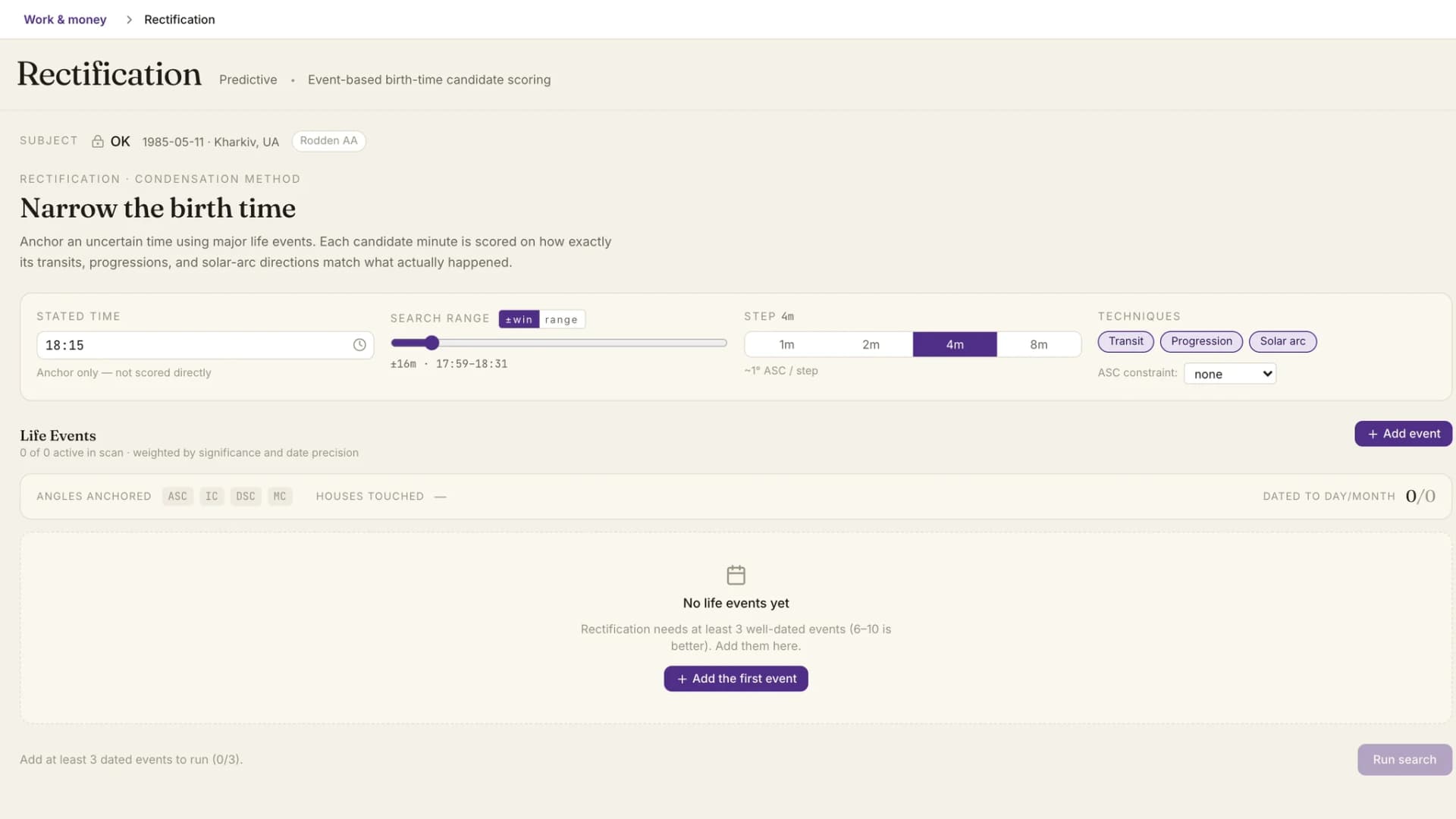
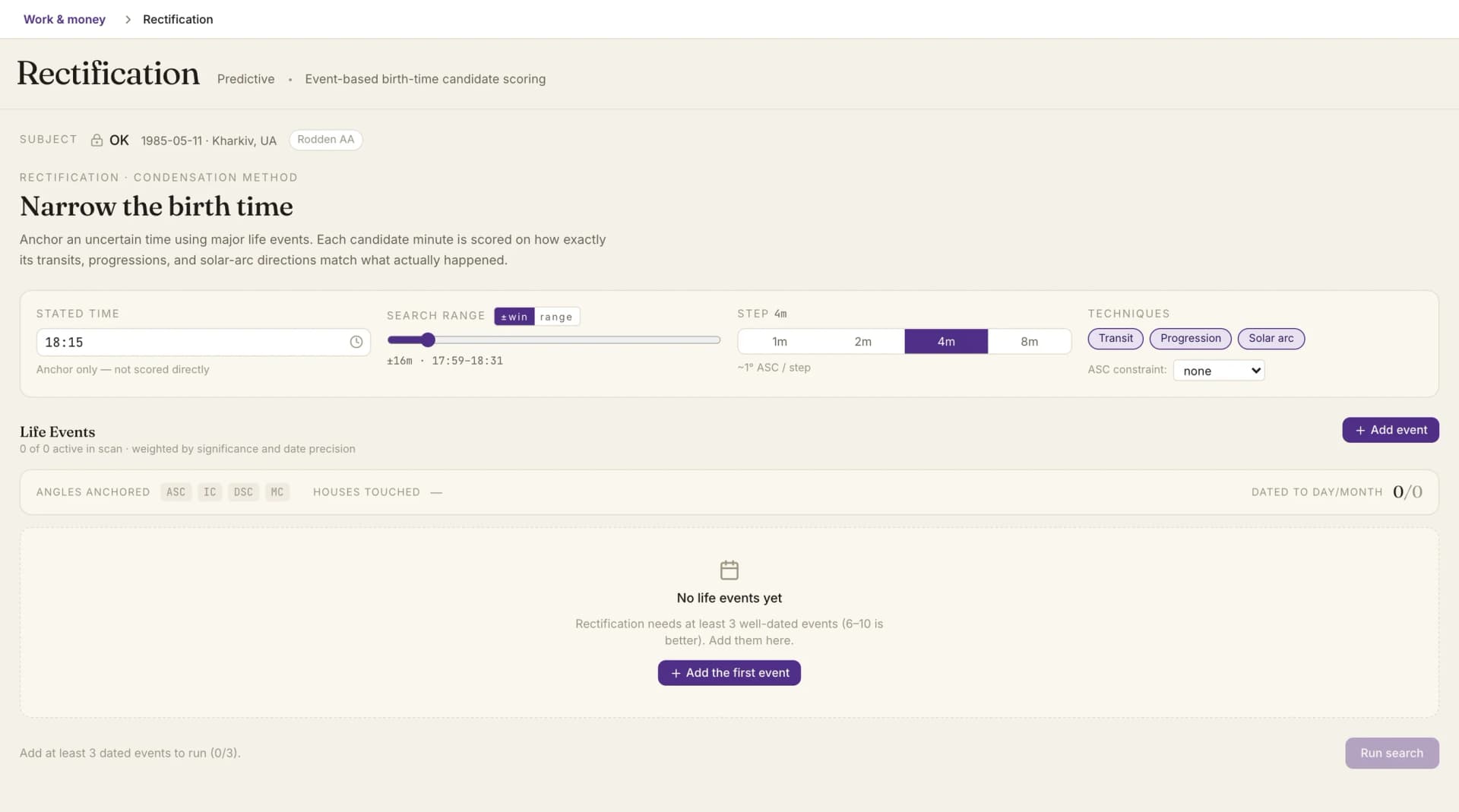
Astrolium's Rectification Wizard narrows an uncertain birth time by testing candidate minutes against events the client can actually date. It scores each minute through transits, secondary progressions and solar arc directions, ranks the results, and tells you how far apart the leaders are. Rectification is included with the $11 per month Pro plan; see pricing.
For a practitioner's comparison of rectification methods with time costs and accuracy limits, read rectification methods compared. For the chart you will read once the time is set, see the natal chart workspace.
What the Rectification Wizard does
A rectified time is an argument built from evidence. We keep the evidence on screen after you make the argument.
Events are the evidence
Everything starts from the client's life. Each event gets a date, a precision and a category. There are 18 categories: death in the family, marriage, birth of a child, divorce, accident, surgery, career change, job loss, promotion, relocation, a relationship beginning or ending, health diagnosis, financial gain or loss, an education milestone, a spiritual turning point, and other.
The category does real work. It decides which houses the event points to and what weight it starts with. You can override the weight and reset it later. Precision then adjusts it: an event dated to the day counts in full, one known only to the month counts for less, and a year-only date for less again. Some events are marked tier-1 anchors, the highly diagnostic ones.
Events can be switched out of the scan without being deleted, which is how you test whether one doubtful memory is carrying the result. If the client already filled in an Intake form, you can pick from the life events they submitted there and import them.
A coverage strip sits above the list and counts three things: events that anchor the angles, houses touched, and events dated to the day or month. Three year-only events that all point at the 7th house will show up there as thin evidence before you spend a search on them.
The search window
The stated time from the birth record anchors the window. It is not treated as evidence.
In the default mode you drag a window of plus or minus 4 to 120 minutes around that time. The alternative is an explicit range with a start and an end, useful when the family memory is "between ten and noon" rather than "about eleven". Both ends of the window are scored, so a birth on the later edge has the same chance of ranking as one on the earlier edge.
Step size sets the resolution. One minute moves the Ascendant roughly a quarter of a degree. Two and four minutes sit around a degree per step. Eight minutes is a coarse scan for a wide first pass.
Transits, progressions and solar arc are all on by default, and each can be switched off. If you have already settled the rising sign, an Ascendant constraint sets aside every candidate with a different sign. Excluded candidates stay in the result behind a show/hide toggle, so you can check what the constraint removed.
Reading the candidates
Candidates come back ranked by weighted match across the active events. Each row carries a grade (Excellent, Good, Fair, Caution or Poor) and a count such as 4 of 7 events strongly correlated. An event counts as strongly correlated when its score reaches at least 70% of the maximum possible for its category. A small badge marks candidates anchored by an eclipse falling on an angle. Above the list, a score density chart shows how scores spread across the whole window, so a single sharp peak looks different from a broad plateau.
Select a candidate and each event reports whether it supports that time, partly supports it or conflicts with it. Open the event and you see the contacts: transit, progression or solar arc, the point involved, the aspect, and the orb next to the maximum orb.
Two weightings are shown rather than applied silently. Sect, the traditional day and night distinction, can strengthen or reduce a contact, and the caption says which, with the multiplier. Event-type affinity raises the weight of a contact to a point that naturally signifies that kind of event, and that is captioned too.
Confidence and the warnings
The verdict panel gives one of five labels: High, Medium, Low, Not enough data, or Provisional. Confidence measures how clearly the leading candidate separates from the other candidates in this search. It is not a measure of truth.
Three notices change how you present the result. When the top times cluster between two minutes, the wizard names both ends and says to present the range. When the top two candidates score within a hair of each other, it shows a twin-time notice and says to present the pair. When no dated event crosses the strong-correlation threshold, confidence drops to Provisional and the best candidate becomes a working estimate. Low certainty gets the same advice: treat it as a working estimate and revisit it as new events arrive.
Ask AI can weigh the candidate evidence as a whole, or check whether one event supports the selected time.
Applying a time
When you apply a candidate, the client's charts recalculate on the new time. The original stated time is kept alongside it, and the confirmation names both times. A Provisional result is saved as a working estimate. Undo clears the rectified time and the client goes back to the recorded one.
Related pages
Once the time is set, the natal chart and predictive timing modules run on it. To test a single technique on its own, try solar arc directions or the progressed chart, and the secondary progressions guide covers the method behind the progressed angles.