I ran my first online astrology session in March 2020, like everyone else. It was bad. The chart was a screenshot I had to keep alt-tabbing to, the client could not see what I was pointing at, and the Zoom call dropped twice in 90 minutes. Six years and 600 online sessions later, the workflow that actually works is built around three things: Zoom for the call, Astrolium's screen-share chart view, and a follow-up email template that closes the loop. This is what I run. See the chart generator, the CRM feature, and the natal chart guide for the underlying pieces.
The honest preface: online sessions are different from in-person, but they are not worse. After 2 years of running mostly online, I tried 6 in-person sessions in late 2024 and was surprised how much I missed the screen. In-person is more emotionally present. Online is more visually shared. The chart, on a screen we both see, becomes a third presence in the conversation in a way it never quite did when I was the only one looking at the printout. There is a real version of "online consultation" that is excellent, and the workflow below is how I get there reliably.
The 90 minute structure I use
I price first sessions at 90 minutes and follow-ups at 60. The 90 minute structure runs in five segments, give or take.
Minutes 0 to 5: arrival. I am in the Zoom room 3 minutes before the start time. The client arrives at the appointed time or up to 2 minutes late. We say hello, I check that the audio is working, and I ask how they are arriving to the conversation. Not a deep question, just a calibration. About 70% of clients give a one-sentence answer and we move on. The remaining 30% give a paragraph that tells me what the session actually needs to address, regardless of what the intake form said.
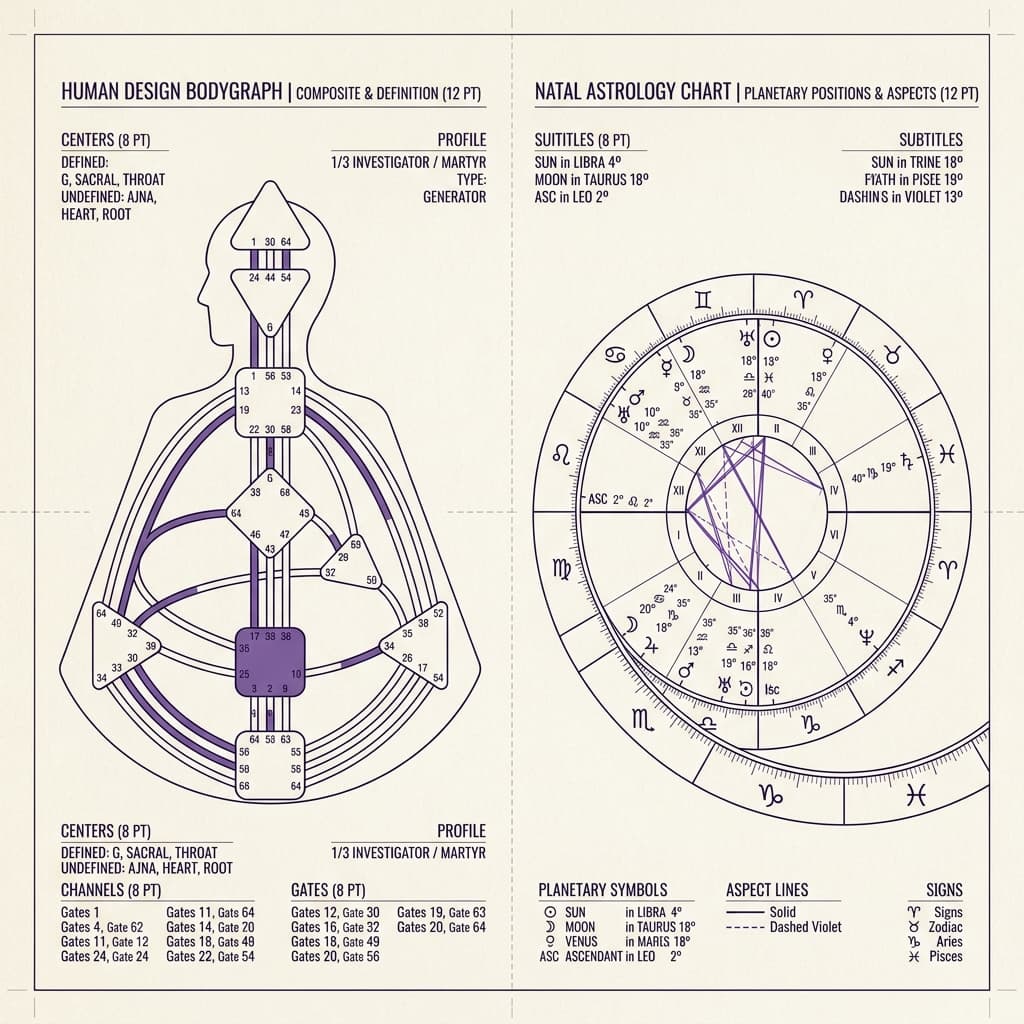
Minutes 5 to 15: ground rules and chart introduction. I share my screen, pull up the chart in Astrolium, and walk the client through what they are looking at. This is the moment that does not exist in phone sessions and that does not exist in pre-2020 in-person sessions either. The client sees the wheel, sees the labels, and stops thinking of the chart as a mysterious object. About a third of my clients ask basic questions in these 10 minutes ("which one is the Sun?"), and answering them up front means they ask better questions in the next hour.
Minutes 15 to 70: the actual work. This is the session. Three to four major themes, drawing on the profections and transits I prepped (see the profections calculator and the Saturn return calculator for the specific techniques). I keep the chart on screen the whole time, zooming and highlighting different placements as we work through them. Astrolium's screen-share view has a feature where I can click a planet to surface its aspects, transits, and dignity table in a side panel without leaving the wheel. I use this constantly. The client sees what I am looking at, in real time, which means they can ask "what does that line mean" and we both know what they mean.
Minutes 70 to 85: synthesis and the question I always ask. I stop introducing new material around minute 70. The last 15 minutes are for the client to ask follow-up questions and for me to synthesize the major threads. I always end with the same question: "What is the one thing from today you want to take into the next 90 days." Most clients pause for 10 to 15 seconds before answering. The answer is what gets written down in their session notes and what I refer back to in the next session if they rebook.
Minutes 85 to 90: scheduling and consent recap. If we recorded, I confirm consent for me to keep the recording for my own review. I never share recordings. If the client wants a copy of the recording, I send the file later that day. About 60% of clients do not want a recording. The remaining 40% are split between "send me the file" and "keep it for your reference but I do not need it." I respect what each client says and I do not store recordings beyond 90 days unless the client explicitly asks me to.
That is the structure. It is repeatable, it is comfortable, and it has held up across 600 sessions.
The Zoom + Astrolium screen-share setup
I tried Google Meet for 4 months in 2022. The audio quality was fine but the screen-share lag was bad enough that pointing at a chart placement was frustrating; the client saw my cursor 800 milliseconds behind where I thought I was pointing. I went back to Zoom and the lag dropped to roughly 100 ms, which is invisible in conversation. Your mileage may vary on this depending on platform updates, but the test that matters is: can I point at the Ascendant and have the client see my cursor land on the Ascendant in real time. If yes, the platform works.
The Astrolium chart view I use in screen-share has three specific affordances that matter:
Click-to-highlight on aspects. I can click an aspect line in the wheel and Astrolium highlights both endpoints, the orb, and whether it is applying or separating. The client sees the highlight, and the aspect goes from a tangle of lines to a specific relationship. This is the single most useful thing about doing astrology on screen.
Side panel that does not cover the wheel. Many astrology tools open dialogs or overlays that hide the chart when you click into a planet. Astrolium keeps the wheel visible and pushes detail into a side panel. The full chart stays on screen for the entire session. This sounds minor and it is not; covering the chart breaks the visual continuity that makes screen-share work.
Bookmarkable views. Before the session I bookmark 3 to 5 specific views: the natal wheel, the current transits, the synastry composite if relevant, and the predictive timing scan from the predictive timing feature. During the session I switch between views with a single click. The client does not see me hunting through menus, which would break the conversation.
The platform setup matters less than the principle: the client should see the chart for at least 60 of the 90 minutes, and the chart should respond to your interaction in real time. If your current tool does not do this, that is the migration case.
My recording policy, and the reason for each rule
Recording online sessions is a legal and ethical question with a different answer in different jurisdictions and for different practitioners. The policy I run, which is my opinion and not legal advice:
I always ask. The intake form has a separate consent checkbox for recording, and I confirm verbally at the start of the session ("I am about to start the Zoom recording, you consented on the intake form, do you still consent today?"). The verbal reconfirmation matters because consent given a week ago is not the same as consent given right now when the client is about to talk about their divorce.
I record only my screen and the audio, not the client's video. Zoom lets you configure this. The recording is the chart plus my voice plus the client's voice. The client's face is not in the recording. This reduces the privacy risk and reduces the file size; a 90 minute session recording runs about 280 MB instead of 1.4 GB.
I delete recordings after 90 days unless the client asks me to keep them. I review my own work in the first 2 weeks after each session, which is when the recording is most useful for my development. After 90 days the marginal value to me drops sharply, and the data liability does not. 90 days is my rule, not a rule.
I never share recordings with anyone, including the client's partner or family. This has come up exactly once, when a client's parent asked me to send the recording of the client's session for "context." I declined. The parent was unhappy. The client, when she found out, was grateful.
I store recordings in Astrolium's encrypted file storage, not in Zoom's cloud. This is operational hygiene. Zoom's cloud is fine for transient storage but it is one more place data lives, and the data-sprawl principle from the intake post applies here too. Single source of truth, in the Astrolium CRM.
The follow-up email I send
Every client gets a follow-up email within 48 hours of the session. The template runs about 250 words and has the same five sections. I write the specifics fresh each time but the structure is fixed.
Section 1: a one paragraph recap of the major themes. Not a transcript. The two or three things that emerged that I think will be most useful for the client to remember. About 5 sentences.
Section 2: the question from minute 85. What they said they wanted to carry forward. I quote them back to themselves, which both reinforces the commitment and shows I was paying attention.
Section 3: a chart attachment. The PDF export from Astrolium, with the natal wheel and the relevant transit overlay. About 3 MB. Some clients open it once and never again; some clients keep it on their phone for months. Either is fine.
Section 4: two or three suggested next-step resources. Specific to the session. If we discussed Saturn return, the Saturn return guide. If we discussed synastry, the synastry guide. If we discussed profections, the profections guide. I do not link more than 3. The links are because the work continues after the session, and clients who engage with the deeper material come back better-prepared.
Section 5: when to book again, plus a soft no-pressure. I tell the client when I would naturally expect them to want a follow-up (usually 6 months for an annual rhythm, sometimes sooner if there is an active transit window). I always include a line that says "this is not a sales pitch, book when it feels right." About 65% of first-session clients book a follow-up within 12 months. The non-rebookers are not failures; some people get what they came for in one session, and that is correct.
The email takes me about 25 minutes to write. I have considered automating sections 1 and 2 with Astrolium's AI assistant, which can draft from my session notes, and I have not done it. The 25 minutes are the moment I metabolize the session for myself, and the writing is the metabolizing. Until that stops being true, I will keep writing them manually.
What goes wrong, occasionally
Internet drops. About 1 in 40 sessions has a connection issue serious enough to interrupt the flow. The protocol: if the call drops for under 90 seconds, I wait, the client rejoins, and we pick up. If it is more than 2 minutes, I call the client on phone, we finish that segment by phone, and I extend the session by the dropped time. If the drop is bad enough that we cannot recover, I reschedule and refund 50%. This has happened twice in 600 sessions; both clients rebooked and both told me later that the handling of the drop made them more loyal, not less.
Wrong birth time surfaces mid-session. This happens 2 or 3 times a year. The client mentions a detail of their life that does not match the chart in front of me, and after some checking we realize the birth time is wrong. The protocol: I name it ("the birth time may not be accurate, let me check"), I work with the client to find a more reliable source if one exists, and I either continue the session with the corrected chart or reschedule for a fresh prep. Astrolium re-runs the chart in under 8 ms, so the technical work is not the issue. The conversation about what we were just doing with an incorrect chart is the work.
Emotional escalation. Astrology sessions sometimes surface things that the client is not ready for. The boundary I hold: I am an astrologer, not a therapist, and if a client needs therapeutic support I refer them. I keep a short list of therapists in 3 cities I trust enough to refer to, and the referral happens during the session when it is needed, not afterward. About 1% of sessions go this way. The referral is part of the work.
The thing that took me longest to learn
The online session is not a downgraded version of the in-person session. It is a different format with different affordances. The shared screen lets the chart be present in a way it cannot be when only one person is looking at it. The 90 minute container is the same length, but the rhythm is different, because the client is on their couch instead of in your office and that subtly changes what they bring.
I no longer offer in-person sessions as my default. Clients ask sometimes and I do them, but the price is the same and the prep is the same and most of my clients prefer online once they have tried it. The 7% of my clients who only want in-person are usually older clients who feel about Zoom the way I felt about it in March 2020, which I respect. Everyone else, the screen is the better format. For the platform side of how this gets booked, see the CRM feature and current pricing. For the predictive timing prep that powers the session itself, the predictive timing feature is what I run before every call.
The work is the work. The screen is just where it happens now.