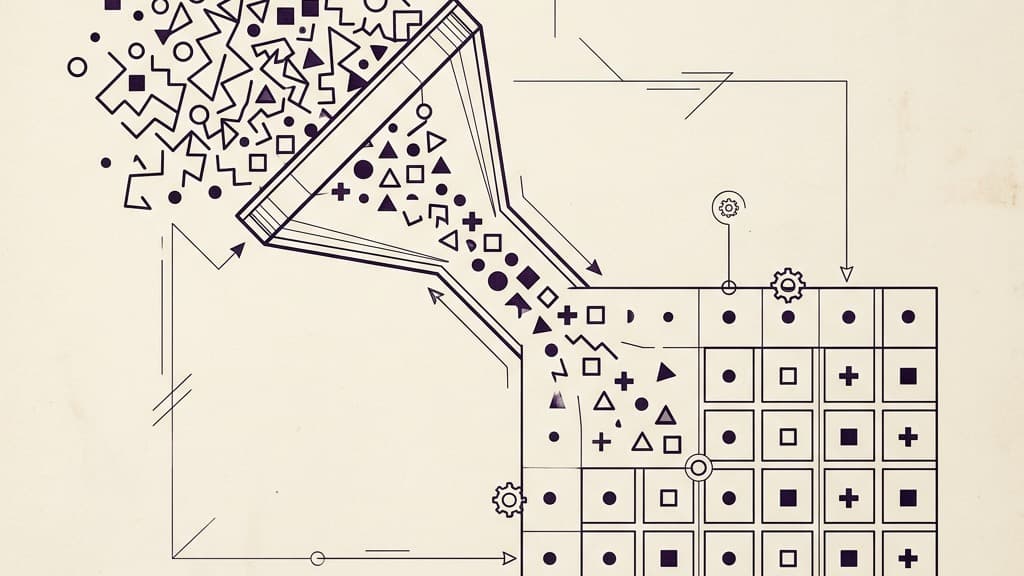
Astrolium reads your Solar Fire .aaf export, your Astro Gold export, your CSV roster, or your hand-typed client list. Drop the folder. 200 charts land in your new roster in 60 seconds, with every house system, sect, and timezone preserved per chart. Then export back out any time. No lock-in, ever.
For the engine the imported charts plug into, see predictive timing and the transit scanner. For the comparison with the desktop tool most of our imports come from, see Solar Fire vs Astrolium. For the $11 per month Pro plan with the full import stack, see pricing.
What "60 seconds" actually means
The first thing you do with new astrology software is bring your practice over. If that step is hard, the rest does not matter. You will give up before the new tool earns the chance to be better than the old one. Astrolium's import is built around that fact.
You export your Solar Fire chart folder as .aaf and drag it onto the import zone. The file watcher reads each record against the AAF interchange spec and queues the records in a staging table. The staging table is the part that matters: it is the place where you confirm the import before it commits. Ambiguous locations are flagged yellow. Missing birth times are flagged red. Charts with the same name and same date (probable duplicates) are stacked into a single row with a merge option. You walk down the table for 3 minutes, fix the half-dozen rows that asked for attention, and click commit.
The commit step is what is actually fast. The .aaf read happens during the drag, so by the time you click commit, the rows are already validated and the only operation left is the database insert. 200 rows commit in about 0.8 seconds on a Pro plan workspace. The geocoded locations, the timezone detection, and the house-system preservation all happen before the commit, so the commit itself is essentially free.
The three paths in
Path 1: .aaf export drag
If you are coming from Solar Fire, this is the path. In Solar Fire, use File → Export and choose AAF — batch export writes one .aaf per chart from your whole Charts folder in one pass. Drag the export onto Astrolium's import zone. House system, sect, and timezone are preserved per chart. The same path works for a single .aaf file dragged in on its own.
Path 2: CSV roster
If you keep your clients in a spreadsheet (Numbers, Excel, Google Sheets), export it as CSV. Required columns are name, date, time, and place; everything else (notes, tags, school) is optional. Astrolium maps your column names to its schema automatically and asks for confirmation on any column it could not match. The CSV import handles up to 10,000 rows in one drag. The same path covers cross-referencing a newsletter list against your client roster: drop the newsletter CSV in, and Astrolium tags the rows that already exist as clients.
A working CSV looks like this:
| Name | Birth Date | Birth Time | Birth Place |
|---|---|---|---|
| Maria Khoury | 1990-04-12 | 06:14 | Beirut, Lebanon |
| Daniel Park | 1985-09-23 | 14:47 | Seoul, South Korea |
| Anya Sokolova | 1978-12-30 | 23:12 | Saint Petersburg, Russia |
That is the minimum. Add columns for house_system, sect_override, or tags and the import respects them.
Path 3: manual, one client at a time
For a brand-new client during a phone call, the manual form is the path. Four fields: name, date, time, place. Location autocomplete pulls from 2 million cities and 22 thousand towns; type "Beir" and Beirut surfaces with the right country and the right timezone. Total time from open to saved record: about 12 seconds with practice, 20 seconds the first few times.
Most practitioners we work with use all three paths in the same week. The .aaf export for the initial migration. The CSV for periodic batches (an academic study cohort, a workshop attendee list, a tarot-overlapping client roster). The manual form for every new client who calls.
Rodden ratings, and why they get their own section
Birth-time reliability is the field that quietly wrecks a migration. Rectification work, sect-dependent techniques, and anything you would put in front of a client depend on knowing whether a time came from a birth certificate or from an aunt's memory. A migration that loses that distinction leaves a roster that looks fine and reads wrong.
Astrolium stores five ratings on a client record: AA from a birth record, A from the person, B from a biography, C for undocumented or approximate, and X for no time of birth at all. The workspace picker also offers DD, dirty data, meaning two or more conflicting times are on record.
A CSV or Solar Fire ASCII import maps a Rodden column like any other field. A DD or XX in the source collapses to the storable X rating, and the preview row states it: the rating was converted and why. Anything outside the accepted set is rejected on the preview with the reason attached, which is the point of a preview. Nothing is silently dropped, and nothing unstorable is written.
AAF is a different problem, and the importer says so rather than pretending. The format has no Rodden field. A rating can only be inferred from the free-text source and via annotations the exporting program wrote, so the mapper gives you the choice: derive a rating from that text, or leave the field blank and set it yourself. It does not manufacture an AA out of a sentence.
The same principle runs through the rest of the AAF mapping. Coordinates baked in by the previous software can be trusted or re-geocoded, your call. A record that already exists in your library can be skipped, imported as a separate record, or merged to fill gaps. A record with no birth time can be cast for noon, cast as a sunrise chart, or flagged for rectification. Each one is a choice AAF leaves open, and each one is surfaced rather than decided for you.
What survives the migration
The thing that breaks every other import we have seen is silent data loss. A Placidus chart becomes a whole-sign chart and the practitioner notices three sessions later. A nocturnal chart imports as diurnal and every sect-dependent calculation is wrong. A historical date imports with the wrong timezone and the Ascendant is off by 2 signs.
Astrolium's import refuses to silently lose data. The chart-by-chart fields that survive:
- House system. Each chart keeps its original system, including the 23 we support. No silent reset to the workspace default.
- Sect. Diurnal/nocturnal is read from the .aaf record or computed from sun-above-horizon at the imported birth time. Sect overrides (rare but real) are preserved when present in the source data.
- Timezone. Detected from place plus date via the IANA tzdb. Historical DST rules from 1900 onward are honoured, so a 1962 chart from a state that used to observe DST during half the year imports with the right offset.
- Notes and tags. If your Solar Fire archive has a notes field per chart, it survives the .aaf export and imports as the Astrolium notes field. If your CSV has tag columns, they map to Astrolium tags.
- Original birth-place spelling. Bombay becomes Mumbai for current geocoding, but the original spelling is preserved on the record so export round-trip is lossless.
What does not survive: nothing important. The import preserves the data; only the cosmetic chart styling (wheel colours, planet glyph fonts) is replaced with Astrolium defaults, which you can override globally if you want a specific look.
Versus the other migration paths
Solar Fire → Astro Gold: No native .SFCHT reader. You export each chart one at a time, then import. 200 charts is roughly 6 hours.
Solar Fire → TimePassages: No practitioner-side import at all. TimePassages was built for one user with one chart.
By hand into any software: 200 clients at 1 minute per chart is 3 hours 20 minutes of typing, plus typos.
Astrolium: Export as .aaf, then drag it in. 60 seconds. Every chart preserved, every ambiguous row surfaced for review, every house system kept. Round-trip export available any time.
What you can do as soon as the import lands
The reason the import speed matters is that the roster is the gateway to every other Astrolium feature. The second a client lands in your roster, the transit scanner can query them, the predictive timing ribbon is pre-computed for the next 5 years, and the chart sharing link is ready to send.
A practical example: import your 200 Solar Fire charts at 9 am. By 9:01 am the scanner can answer "which of my clients has Saturn within 1° of their natal Ascendant right now," because every chart's natal points were indexed during the import. By 9:05 am you have already pinned 3 saved queries for the next 30 days and started a digest schedule. By the end of week 1 the new platform is doing work the old one never could.
Where to go from here
For the engine the imported charts feed into, see predictive timing. For the cross-roster search that becomes available the moment the import commits, see the transit scanner. For the deliverable that goes back out to clients, see chart sharing. For the comparison with the desktop tool most of our imports come from, see Solar Fire vs Astrolium and the pricing page for the $11 per month Pro plan.
Migration is a 60-second decision. The rest of the practice you build on top of it lasts years.